
Tera Studio is the cheapest AI singing voice generator in 2026 that still sounds genuinely good: it starts free with 1 clone + 2 listen-only full songs in your own voice — no credit card — and paid plans begin at ₹499/month. Because it bills in rupees and converts your real singing take instead of typing out robotic text-to-speech, it lands cheaper and more natural than ElevenLabs, Kits.ai or HeyGen for Indian singers.
But "cheapest" only matters if the output is usable. A plan that costs little and produces a watermarked, English-mangled clip is not cheap, it is wasted. Below is an honest price-and-quality breakdown so you can pick the right tool for your voice and your language, not just the lowest sticker price.
Key takeaways
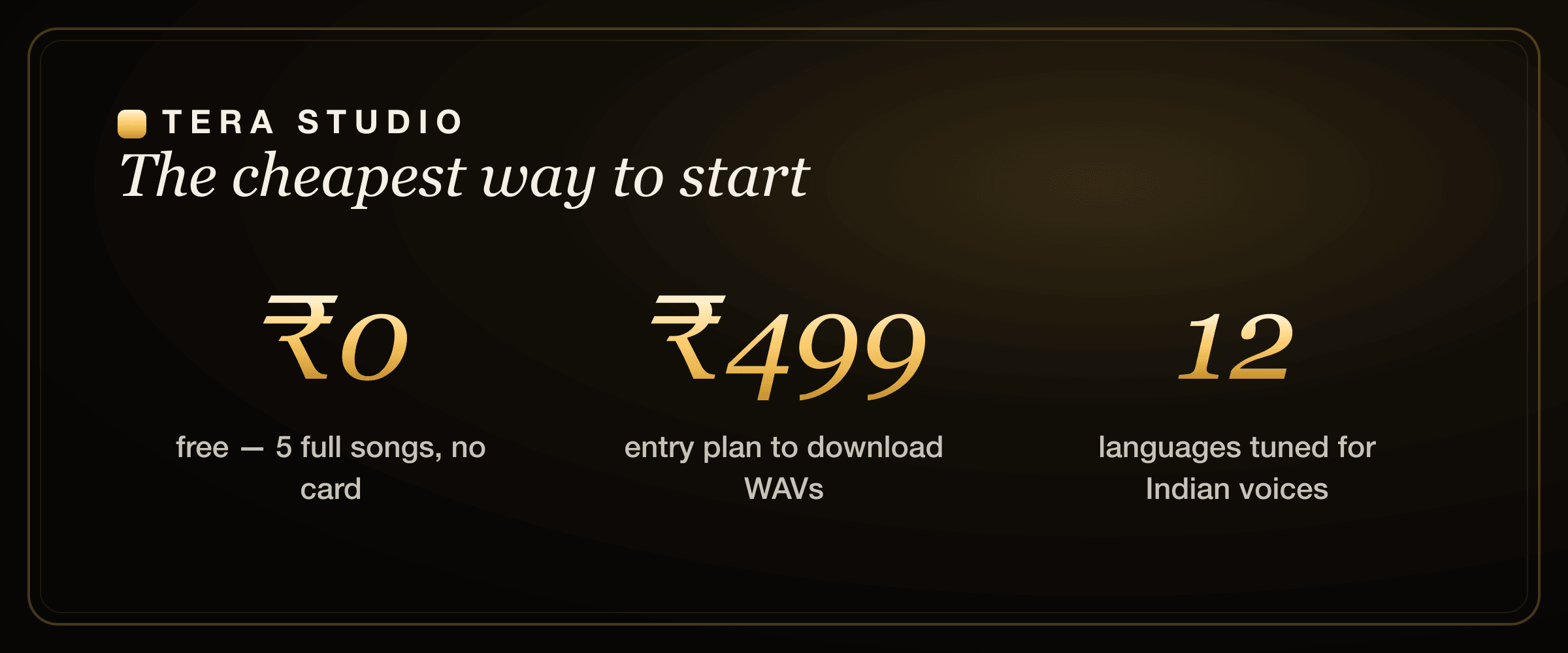
- The cheapest AI singing voice generator that sounds good is Tera Studio — free to start (2 listen-only full songs, no card), then ₹499/month.
- Most rivals price in USD and meter by credits; Tera uses flat INR pricing and gives you finished, un-watermarked songs on the free tier.
- Tera clones your own voice from about 30 seconds of audio and converts your real performance, so phrasing and emotion survive.
- It is tuned for 12 languages including Hindi, Punjabi, Tamil, Telugu and Bengali — most cheap tools are English-first and mispronounce Indian lyrics.
- Cheap is only worth it when the cover is postable; un-watermarked output and correct pronunciation are the real price you should compare.
First, three things people lump together as "AI singing voice generators"
These are not the same product, and the price only makes sense once you know which one you actually want. Most confusion about "cheap" pricing comes from comparing tools that do completely different jobs.
- Full-song generators (Suno, Udio) — you type a prompt and get a brand-new song with AI vocals. Great for sketching original ideas fast, but it is not your voice and you do not control the performance. If that is what you want, our take on the best Suno alternative covers that lane in detail.
- Text-to-singing (ElevenLabs) — you type lyrics and a synthetic voice sings them. Impressive on a clean English line, but getting natural pitch, breath and rhythm takes manual editing, and again it is not your voice unless you clone it.
- Voice-cover / performance conversion (Kits.ai, Musicfy, Voicify/Jammable, Tera Studio) — you sing the take, the AI converts it into a target voice, ideally your own cloned voice. Your phrasing, timing and emotion carry through. This is what most people actually mean when they say "make an AI cover."
Tera lives squarely in category 3 and clones your own voice, so what comes out is your performance in your (or a consented person's) voice. If you are still deciding which category fits you, the AI cover song generator explainer walks through it with examples.
Tera Studio vs the cheapest singing tools at a glance
Here is the honest head-to-head. Treat every dollar figure as approximate — USD plans move with the exchange rate and vendors re-tier often, so confirm on each site before you buy.
| Tool | Free tier | Entry paid plan | Your own voice? | Indian languages | Best for |
|---|---|---|---|---|---|
| Tera Studio | 1 clone + 2 listen-only full songs, no card | ₹499/mo | Yes, ~30s clone | 12, tuned for India | Cheapest real covers in Indian languages |
| ElevenLabs | Credits/mo (limited) | ~$6 Starter (USD) | Via cloning | English-first | Spoken text-to-speech in English |
| Kits.ai | Limited free tier | USD plans (~$10/mo Starter) | Via cloning | English-first | Music tooling around the converter |
| Musicfy | Limited free tier | USD plans | Via cloning | English-first | Quick web-based covers |
| Voicify / Jammable | Free with watermark | USD plans | Via cloning | English-first | Large library of celebrity-style models |
| HeyGen | ~3 videos/mo, watermark | ~$29/mo (USD) | Avatar likeness | N/A (video) | Talking-head marketing video, not singing |
| Suno | Daily free credits | USD plans | No (AI vocals) | Limited | Brand-new original songs from a prompt |
Competitor prices are in USD and shown as of mid-2026 — check each tool's own site for current rates.
Two things jump out of that table. First, everyone except Tera prices in US dollars. For an Indian creator ₹499 is a known, small, predictable number; $6–$29 fluctuates with the exchange rate and often carries card or forex friction at checkout. Second, free tiers vary wildly in what "free" means. Many give you credits that evaporate in a few minutes of rendering, or they stamp a watermark on the output so it is fine for testing and useless for posting. Tera's free tier lets you hear two listen-only full songs in your own voice — you only pay when you want the mix-ready download.
The real price is cost-to-first-real-cover
Do not compare AI singing tools only by monthly sticker price. Compare the cost of first hearing a real full-song cover in your own voice: no thirty-second cap, no mangled Hindi or Tamil pronunciation, and no surprise USD checkout friction. On that measure, Tera is the cheapest because your first two own-voice full songs are listen-only and cost ₹0.
That is the sales math most creators feel in practice. If a "free" tool gives you a clip you cannot post, the real price is still the paid tier. If a USD tool sounds good but makes you pay before you hear your own voice in your own language, the risk is higher. Tera moves the risk to zero: make the free cover first, then upgrade only when the result is worth downloading as a 48 kHz WAV or turning into a lipsync video.
Where these paid tools are genuinely strong
Being honest about rivals is the whole point of a buyer's guide, and each of these earns its money for a specific job:
- ElevenLabs is best in class for spoken AI voice and has a deep English voice library. If you need narration, audiobook-grade TTS, or natural English dialogue, it is worth the price. Our ElevenLabs alternative for singing breakdown is only about the singing gap, not the spoken side, where ElevenLabs is excellent.
- Kits.ai wraps mature music tooling — stem separation, vocal isolation, mastering helpers — around its converter and has a large English voice-model catalogue. If you live inside a producer workflow, those extras matter. See the full Kits.ai vs ElevenLabs comparison for that angle.
- Musicfy and Voicify/Jammable are quick, browser-first ways to try a conversion and ship a clip in minutes, and Jammable's library of ready-made models is large.
- HeyGen is excellent at one specific thing — corporate talking-head video — and is not trying to be a singing tool at all. If video avatars are your need, our HeyGen alternative guide is the right read.
- Suno is genuinely impressive for conjuring an entire original track from a text prompt when you do not need your own voice in it.
If you only ever work in English, or you need spoken narration or avatar video, several of these are reasonable buys. The picture changes the moment your goal is singing covers in an Indian language on a budget.
Where Tera Studio wins
Tera's whole reason to exist is the lane nobody else priced for: your own voice, singing covers, in named Indian languages, at rupee prices.
- It clones your voice, not a stock model. From roughly 30 seconds of clean singing, Tera trains a private model of your voice in about 20 minutes, then converts any song you have rights to into that voice. You are not borrowing a generic celebrity model, you are hearing yourself.
- It is tuned for 12 languages, India-first. Hindi, Hinglish, Punjabi, Tamil, Telugu, Bengali, Marathi, Gujarati, Kannada, Malayalam, Urdu and English. English-first models routinely flatten the vowels and consonant clusters that make a Hindi or Tamil line sound right; Tera was built for them. If your wedge is regional, see how to make a Hindi AI cover, the Bengali AI cover song guide, or Punjabi AI cover songs.
- The free tier is real, not a teaser. 1 clone + 2 listen-only full songs with no card and no expiring credits.
- Pricing is flat and in rupees. ₹499, ₹999, ₹1,999 or ₹2,999 a month. Paid mainly unlocks 48 kHz mix-ready WAV downloads and AI lipsync video — the quality of the conversion itself is the same on free and paid.
On Tera you can clone your voice from about 30 seconds of audio and hear 2 listen-only full songs in-app for ₹0 before paying anything, then step up to mix-ready 48 kHz WAV downloads from ₹499/month. That combination — free finished output plus the cheapest paid entry point in INR — is what makes it the cheapest usable option, not just the cheapest sticker.
What is the cheapest AI singing voice generator that actually sounds good?
The cheapest AI singing voice generator that sounds good is the one that lets you judge a real full-song result for the least money — and on that test Tera Studio wins because the free tier gives you listen-only full songs before you pay for exports. A tool that is technically "$0" but only gives you a short clip, or "₹0" but blocks you before you hear your own voice in a full song, is not actually free in any way that helps you decide.
The honest ranking by true cost-to-first-real-cover proof looks like this: Tera Studio first (₹0 to hear two listen-only full songs in your own voice, with Indian-language support), then the converter tools like Kits.ai, Musicfy and Voicify/Jammable (capable, but USD-priced and English-first), then ElevenLabs (brilliant at speech, fiddly for singing), with full-song generators like Suno in a different category entirely because the voice is not yours. If you want that comparison drilled all the way down, Tera vs Kits.ai and Tera vs ElevenLabs go feature by feature.
Why does "cheapest" usually backfire — and how do you avoid it?
The trap with cheap AI voice tools is that the low headline price hides a catch you only discover after you have recorded your take:
- Credit metering. A plan looks cheap until a few minutes of output burns the entire monthly allowance, and the credits do not roll over to next month.
- Watermarks on the free tier. Perfectly fine for kicking the tyres, useless for actually posting to YouTube or Instagram.
- English-tuned models. Sing in Hindi, Tamil or Punjabi through an English-first model and it mangles the pronunciation, so the "cheap" cover is unusable and you have wasted the performance.
Tera sidesteps all three: flat INR pricing, clean un-watermarked free songs, and models tuned for Indian-language singing. Cheap and usable is the only kind of cheap worth paying for. If you also want a no-cost way to experiment with effects and tone first, the free online AI voice changer and the guide to clone your voice free are good starting points.
Is the cheap option always lower quality?
No — and this is the key misconception. Price and quality are not the same axis. Tera's low cost comes from rupee-denominated billing and a focused free tier, not from cutting corners on the audio. The conversion engine is identical on the free plan and the ₹2,999 plan; what you pay more for is delivery — 48 kHz mix-ready WAV files and AI lipsync video — not a better-sounding voice.
Because Tera converts a real human performance rather than synthesising notes from text, the musicality you recorded — your timing, your breath, the way you lean on a phrase — is preserved instead of approximated. That is usually what separates a cover that sounds human from one that sounds like a machine read the sheet music. For a deeper look at choosing on quality rather than price alone, see the best AI singing app in India roundup.
A quick word on consent and the law
Cloning your own voice on Tera is straightforward and stays private to your account. Cloning anyone else's voice — a friend, a famous artist — requires their permission, and posting covers of copyrighted songs has its own licensing rules. Before you publish anything in someone else's voice, read the law on AI voice cloning in India so your cheap cover does not turn into an expensive problem. Creators building a channel should also skim our notes on voice cloning for YouTubers.
How to start on Tera (free)
- Sign up free at terastudio.co — no credit card required.
- Train your voice — sing about 30 seconds into your phone in a quiet room. Your private AI voice is ready in roughly 20 minutes.
- Convert a song you have the rights to into your voice, in any of the 12 supported languages.
- Keep and post your 2 listen-only full songs. They are un-watermarked and yours.
- Upgrade to ₹499/month only when you need it — for 48 kHz mix-ready WAV downloads and AI lipsync video. Create your free account at terastudio.co/signup.
Frequently asked questions
What is the cheapest AI singing voice generator?
Tera Studio is the cheapest for real singing covers: it starts free with 1 clone + 2 listen-only full songs in your own voice (no credit card), and paid plans begin at ₹499/month. Because it is billed in rupees rather than US dollars, it works out cheaper for Indian users than USD-based tools like ElevenLabs or Kits.ai.
Is there a genuinely free AI singing voice generator?
Yes. Tera Studio's free tier includes 1 clone + 2 listen-only full songs with no credit card. Unlike credit-metered free tiers that expire after a few minutes of rendering, these are full-song in-app listens. You only pay when you want mix-ready 48 kHz WAV files or AI lipsync video.
Is the cheap option lower quality than the expensive ones?
Not on Tera. The conversion engine is the same on the free plan and the top ₹2,999 plan, so the voice quality does not change with price. Tera converts a real singing performance — keeping your phrasing, breath and emotion — and is tuned for 12 languages including Indian ones. The low price comes from INR billing and a focused free tier, not from cutting audio quality.
Can ElevenLabs make AI covers cheaply?
ElevenLabs is excellent at spoken text-to-speech and has an inexpensive Starter plan in USD, but its singing is text-to-singing: you type lyrics and a synthetic voice performs them, which needs manual pitch and rhythm work. It is not built to convert your own recorded vocal take the way a dedicated cover tool is. For singing specifically, see our ElevenLabs alternative for singing.
Why is Tera cheaper for Indian creators specifically?
Two reasons. It is billed in INR (₹499–₹2,999/month) with no forex markup or US-card friction at checkout, and the free tier gives you 2 listen-only full songs instead of expiring credits. So your real first-cover listen costs ₹0, and your paid export entry point is a small, predictable rupee figure.
How long does it take to clone my voice and make a cover?
Cloning takes about 30 seconds of singing to record and roughly 20 minutes to train. After that, converting a song into your trained voice takes only a few minutes per track. You can go from sign-up to your first finished, un-watermarked cover well within an afternoon.
Which cheap tool should I pick if I sing in Tamil or Telugu?
Pick a tool tuned for those languages, because English-first models mispronounce them. Tera supports Tamil and Telugu (plus ten other languages) natively, and the free tier lets you test the pronunciation before paying. See our guide to the AI voice generator for Tamil and Telugu for language-specific tips.