
Tera Studio is the best Suno alternative when you want a song in your own voice instead of an AI-generated one. Suno writes brand-new tracks from a text prompt; Tera Studio clones your real singing voice from about 30 seconds of audio, then sings any cover back in that voice across 12 languages tuned for Indian singers. Free to start, no card.
If you typed "Suno alternative" because you actually want covers that sound like you, this is the page for you. Suno and Tera solve different problems, and once you see the difference the choice gets easy.
Key takeaways
- Suno generates original AI songs from a prompt; Tera Studio converts your real performance into your own cloned voice. They are different tools for different jobs, not direct swaps.
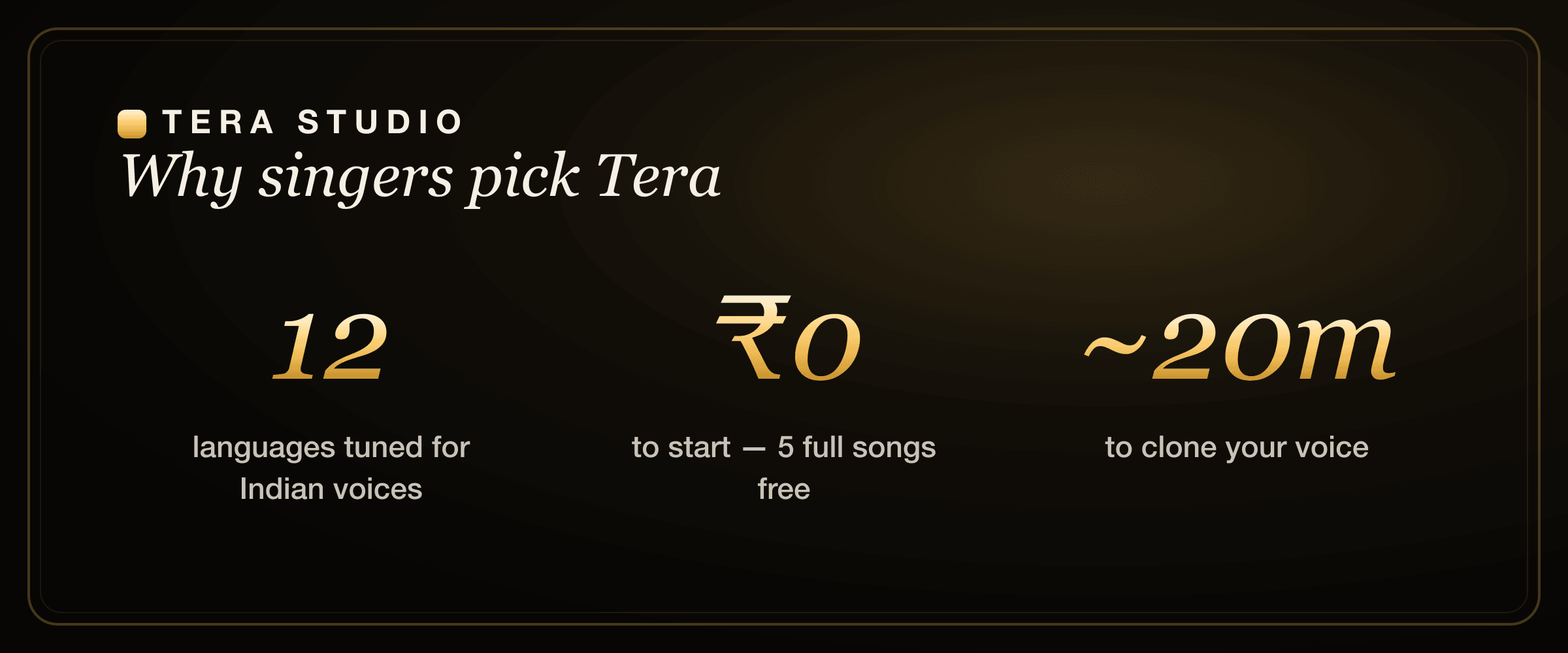
- Tera clones your voice from ~30 seconds of audio (training takes about 20 minutes) and then renders covers in 12 languages tuned for Indian voices.
- Tera's free tier gives you 1 clone + 2 listen-only full songs with no card; paid plans start at ₹499/month and mainly unlock 48 kHz mix-ready WAV downloads plus AI lipsync video.
- Suno is genuinely excellent for original tracks, instrumentals, and fast ideation — keep it for that and use Tera for own-voice covers.
- Cloning is consent-first: your trained voice stays private to your account, and covering someone else's voice requires their permission.
Are you sure you want a Suno alternative — or a different kind of tool?
This is the question that saves people a wasted afternoon, so let's be blunt about it.
- Suno = type a prompt, get a complete original song. Melody, instruments, and vocals are all AI-generated. You steer with words; you do not perform anything.
- Tera Studio = sing or upload a vocal, get that exact performance in your cloned voice. You control phrasing, breath, and emotion; the AI only changes the voice timbre.
If you want original songs fast, Suno is one of the best tools on the market and Tera is not trying to replace it. If you want your own voice singing covers — your favourite track, in your language, sounding like you — Suno was never built for that. That gap is exactly where Tera fits, and it is why "Suno alternative" so often really means "I want to hear myself sing this."
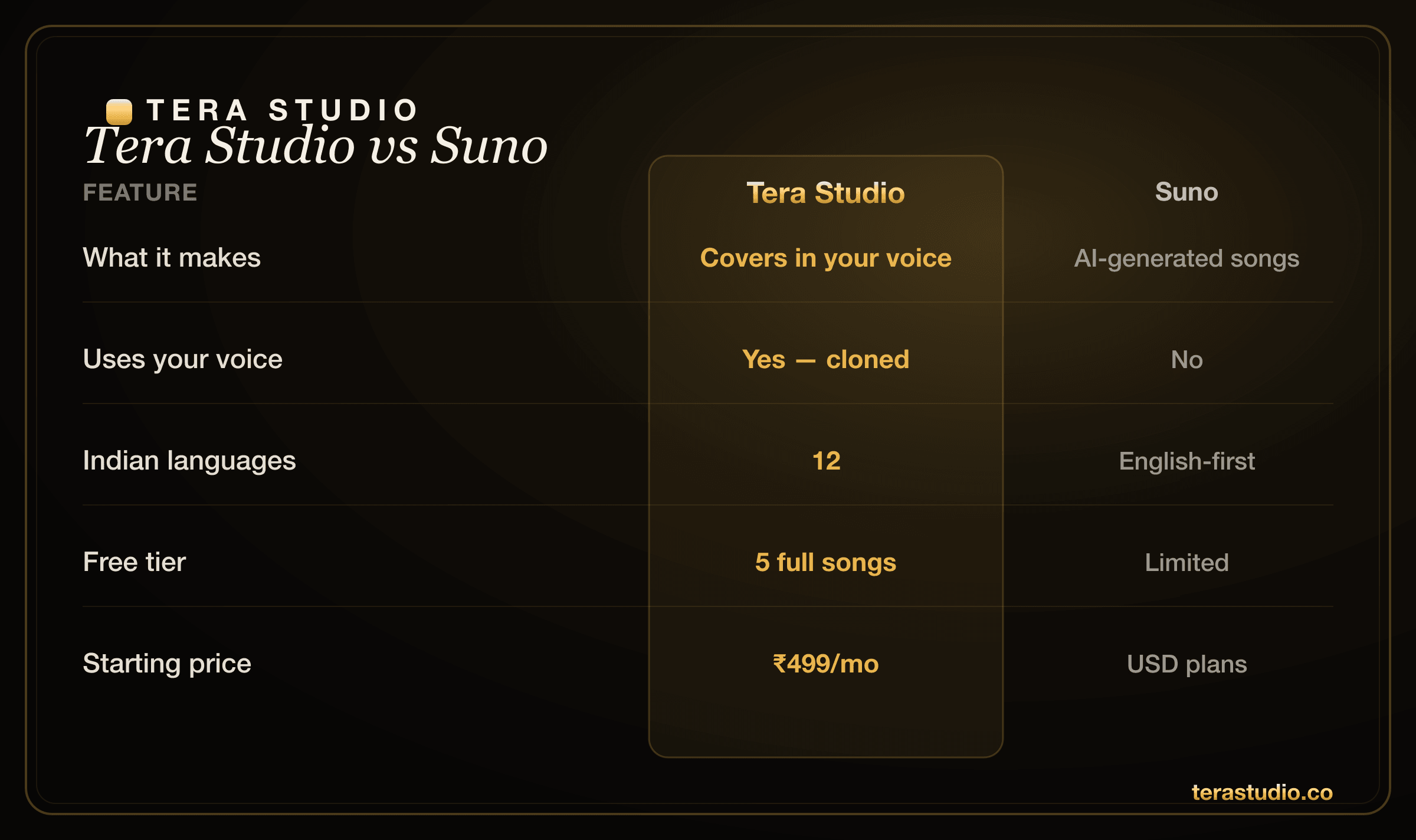
Tera Studio vs Suno at a glance
| Tera Studio | Suno | |
|---|---|---|
| What it makes | Covers in your cloned voice | Brand-new AI songs from a prompt |
| Is it your voice? | Yes — cloned from ~30s | No (AI-generated vocals) |
| Who controls the performance? | You — you sing the take | The AI — you prompt it |
| Languages | 12, tuned for Indian singing | Many, prompt-based |
| Free tier | 1 clone + 2 listen-only full songs, no card | Free: ~50 credits/day (~10 songs), no rollover |
| Paid | ₹499–₹2,999/mo (INR) | Pro ~$10/mo, Premier ~$30/mo (USD) |
| Top paid unlock | 48 kHz mix-ready WAV + lipsync video | More credits + commercial use + Studio |
| Best for | Covers, artist identity, your voice | Original songs, ideation, instrumentals |
(Suno prices are in USD and shown as of mid-2026 — check Suno's own site for current rates.)
Where Suno is genuinely strong
Do not switch away from Suno for the wrong reasons. It is a remarkable product, and it wins clearly in several places.
- Original songs from nothing. A short prompt becomes a full, produced track in seconds. Nothing about Tera does that, because Tera needs you to perform.
- Fast ideation. Sketching melodies, moods, structures, and arrangements is where Suno shines. It is a brilliant scratchpad for songwriters.
- Full production, not just vocals. Suno gives you instruments and a mix, so you get a complete song rather than a vocal you still have to back with a track.
- Commercial originals on paid tiers. If you need royalty-friendly original music for videos, Suno's paid plans are built for that use case.
For generating original AI music, Suno is one of the best tools there is. If that is your goal, stay with it — Tera is not the answer to that question.
Where Tera Studio wins
1. It is actually your voice. Clone yourself once and every cover is unmistakably you — the literal foundation of an artist identity. A generated Suno voice, however good, is not yours and cannot be.
2. You perform it. You sing the take, so the phrasing, the breath before a line, the way you lean on a note — all of that is yours, not a prompt's best guess.
3. Indian languages, tuned for singing. Hindi, Hinglish, Punjabi, Tamil, Telugu, Bengali, Marathi, Gujarati, Kannada, Malayalam, Urdu, and English — covers that respect your pronunciation and ornaments instead of flattening them. If you are chasing a regional sound, start with the best AI singing app in India.
4. Priced for India, free to start. ₹499/month entry, billed in INR, with 2 listen-only full songs free and no card to begin. If budget is the deciding factor, compare it against the field in our roundup of the cheapest AI singing voice generator.
5. Covers become video. Turn a finished cover into an AI lipsync video on a paid plan, ready to post. That matters a lot if you are a creator — see voice cloning for YouTubers for the full creator workflow.
Can Suno make a cover in my own voice?
No — and this is the single most common reason people search for a Suno alternative. Suno generates original songs with AI vocals from a text description. There is no step where it learns your voice and sings an existing song back as you, because that is a different category of tool called voice-to-voice performance conversion.
That conversion is exactly what Tera does. You bring the performance (sing it yourself, or upload a vocal you have the rights to), Tera applies your cloned voice, and you get a cover that sounds like you singing the song. If you have only ever used prompt-to-song generators, the step-by-step in how to make an AI cover song shows the whole flow end to end.
Tera clones your singing voice from roughly 30 seconds of clean audio, trains in about 20 minutes, then renders unlimited covers in 12 languages — and the first voice clone plus 2 listen-only full songs cost ₹0.
How do I switch from Suno to making covers in my voice?
You do not really "switch" — you add the missing piece. Most people keep Suno for sketching ideas and use Tera for the part Suno cannot do. A typical move looks like this:
- Generate an instrumental or a melody idea in Suno when you want something original to sing over.
- Record your vocal performance of the song you want to cover.
- Run that vocal through Tera so it comes out in your cloned voice, in your language.
- Download the mix-ready 48 kHz WAV on a paid plan, or post the free version, then optionally turn it into a lipsync video.
If your target is a specific language, we have focused walkthroughs for that, including how to make a Hindi AI cover, Punjabi AI cover songs, Bengali AI cover songs, and Marathi AI cover songs. For Tamil and Telugu specifically, the AI voice generator for Tamil and Telugu guide covers the pronunciation details that matter.
What about other AI voice and cover tools?
Suno is not the only name people weigh up, so it helps to place it in context. Suno sits in the song-generation bucket. The tools you would actually compare to Tera for covers are voice-conversion platforms. If you are evaluating those, our honest head-to-heads cover the main ones: the Kits.ai alternative breakdown, the ElevenLabs alternative for singing comparison, and the Voicify / Jammable alternative piece. There is also a Musicfy alternative guide if that is the tool on your shortlist.
The short version: most Western voice-conversion tools are strong but English-first and priced in USD. Tera's wedge is own-voice covers in named Indian languages, billed in INR, free to start. If singing in your language with your own voice is the job, that combination is hard to match elsewhere.
Is it legal to cover a song in my own AI voice?
Cloning your own voice with Tera is consent-first by design: your trained voice is private to your account, and cloning anyone else's voice requires their explicit permission. The voice you create is yours. Note that the song itself — its melody and lyrics — still belongs to its original rights holders, so treat covers the way you would any cover: use material you have the rights to, and disclose AI use where required. For the full picture on consent, likeness, and what is and isn't allowed, read our plain-language guide to the law on AI voice cloning in India.
How to start on Tera (free)
- Go to terastudio.co and sign up free — no card required.
- Record or upload about 30 seconds of your clean singing voice and start the clone (training takes roughly 20 minutes).
- Pick a song you have the rights to, choose your language, and convert the vocal into your cloned voice.
- Listen back to your 2 listen-only full songs in-app, and upgrade to ₹499/month only when you want 48 kHz WAV downloads or lipsync video.
Frequently asked questions
What's the best Suno alternative? If you want covers in your own voice rather than prompt-generated songs, Tera Studio is the best Suno alternative — it converts your real performance into your cloned voice across 12 languages and starts free with 1 clone + 2 listen-only full songs. For brand-new original AI songs, Suno itself is hard to beat, so many people use both.
Can Suno make a cover in my voice? Not really. Suno generates original songs with AI vocals from a text prompt; it does not learn your voice and sing an existing track back as you. To make covers in your own voice, use a voice-to-voice converter like Tera Studio, which clones your voice from about 30 seconds of audio.
Is Tera cheaper than Suno? For Indian users, generally yes. Tera starts free and its paid plans run ₹499–₹2,999/month billed in INR, whereas Suno's paid plans are in USD (around $10–$30/month). Exact value depends on what you need — Suno's price buys song generation and credits, while Tera's buys own-voice covers, 48 kHz WAV exports, and lipsync video.
Can I use both Suno and Tera together? Yes, and it is a common workflow. People generate an instrumental or melody idea in Suno, then perform the vocal and run it through Tera so the cover comes out in their own cloned voice. The two tools complement each other rather than compete.
Does Tera support Indian languages that Suno handles loosely? Tera supports 12 languages specifically tuned for Indian voices — Hindi, Hinglish, Punjabi, Tamil, Telugu, Bengali, Marathi, Gujarati, Kannada, Malayalam, Urdu, and English. Because the models are tuned for singing in these languages, pronunciation and vocal ornaments hold up better than with general-purpose, English-first tools.
How long does it take to clone my voice and make a cover? Cloning needs about 30 seconds of clean audio, and training takes roughly 20 minutes. After that, each cover renders without retraining, so making a new song in your voice is quick. If you want a guided run-through, see how to clone your voice free.
Is making covers in my own voice legal? Cloning your own voice is fine and consent-first — your trained voice is private to your account, and cloning anyone else requires their permission. The underlying song's melody and lyrics still belong to their rights holders, so only cover material you have the rights to and disclose AI use where required. See the law on AI voice cloning in India for details.