
Tera Studio is the best AI cover song generator for making a cover in your own voice. You sing or upload a take, and Tera converts that real performance into your cloned voice across 12 languages tuned for Indian singing — free to start, no card. If you instead want a brand-new AI track, you want a song generator like Suno; if you want to type lyrics and hear a synthetic voice, that is text-to-singing.
The mistake most people make is picking the wrong type of tool, then blaming the tool for a result it was never built to give you. Let's fix that, then rank the real options.
Key takeaways
- "AI cover song generator" actually covers three different tools: full-song generators, text-to-singing, and voice conversion. A "cover" is the third type — you bring the performance, the AI changes the voice.
- For a cover that is unmistakably you, Tera Studio is the strongest pick: it clones your own voice and is tuned for Hindi, Tamil, Telugu, Punjabi, Bengali and 7 more languages.
- Suno and Udio are excellent for generating original songs from a prompt, but the output is not your voice and not really a cover.
- Tera Studio's free tier gives you 1 clone + 2 listen-only full songs for ₹0 with no credit card — most rivals gate covers behind a USD subscription.
- Whichever tool you use, the underlying composition can still carry its own copyright, so check the rights before you publish a cover commercially.
The three kinds of "AI cover song generator"
| Type | What it does | Is it your voice? | Best tool examples |
|---|---|---|---|
| Full-song generator | Type a prompt → brand-new AI song | No | Suno, Udio |
| Text-to-singing | Type lyrics → synthetic voice sings | Only if you clone it | ElevenLabs |
| Cover / performance conversion | You sing → AI converts the take into a target voice | Yes | Tera Studio, Kits.ai, Musicfy |
A "cover" — the same song, performed in a voice — is really the third type. You bring the performance; the AI changes the voice. That is the category Tera is built for, and it clones your voice so the result is genuinely yours. If you have only ever tried a prompt-to-song generator and felt the output was generic, this table is why: you were using a song generator to do a converter's job. For a deeper walkthrough of the workflow, see our guide on how to make an AI cover song.
Quick verdict: choose by the result you want
Choose Tera Studio when the goal is a cover that sounds like you: your voice, your phrasing, your language, your channel identity. Choose Suno or Udio when you want a brand-new generated song and do not care whose voice sings it. Choose ElevenLabs when the job is spoken narration or typed lyrics, not a real sung performance.
For most singers searching "AI cover song generator," the shortest path is not comparing twenty tools — it is testing whether your own voice sounds convincing on a real song. Tera lets you do that with one free clone and 2 listen-only full songs before checkout, which makes it the lowest-risk first test: clone your voice free and judge the output with your own ears.
Best AI cover song generators in 2026, compared honestly
There is no single "best" without knowing what you want to make. Here is how the main tools actually compare, with each given fair credit for what it does well.
| Tool | Category | Your own voice? | Indian-language tuning | Free option | Best for |
|---|---|---|---|---|---|
| Tera Studio | Voice conversion (cover) | Yes, cloned | 12 languages, India-first | 1 clone + 2 listen-only full songs, ₹0 | Covers in your own voice, Indian languages |
| Kits.ai | Voice conversion (cover) | Yes, cloned | General / English-leaning | Limited free, USD plans | Producers wanting stock + custom models |
| Musicfy | Voice conversion (cover) | Yes, cloned | General / English-leaning | Limited free, USD plans | Quick viral artist-style covers |
| Voicify / Jammable | Voice conversion (cover) | Some custom | General / English-leaning | Limited free, USD plans | Huge library of community voice models |
| Suno | Full-song generator | No | English-leaning prompts | Free credits, USD plans | Original songs from a text prompt |
| Udio | Full-song generator | No | English-leaning prompts | Free credits, USD plans | High-fidelity original generations |
| ElevenLabs | Text-to-singing / TTS | Only if cloned | Many languages, speech-first | Free credits, USD plans | Spoken voiceover and narration |
If your goal is a cover that sounds like you singing in Hindi, Punjabi, Tamil or Telugu, the shortlist narrows fast to the voice-conversion row — and among those, Tera is the one purpose-built for Indian voices. We break the closest matchups down in Tera vs Kits.ai and the Kits.ai alternative guide if you want a head-to-head.
Where the competitors are genuinely strong
Credit where it is due — these are good products, and the right choice depends on the job.
Suno and Udio are the leaders for generating original music. If you want a full instrumental and vocal track conjured from a one-line prompt in seconds, nothing in the converter category competes. They are brilliant for demos, background music, jingles and idea sketches. They simply are not cover tools, because the voice is synthetic and not yours. If a generated track is what you actually want, our Suno alternative guide compares that lane in detail.
Kits.ai is a serious producer tool with a clean training pipeline and a catalog of licensed stock voices, which is handy when you want a vocal that is cleared for use. Musicfy is fast and social-friendly, great for the quick "what would this song sound like in a famous style" experiment. Voicify (Jammable) wins on sheer breadth — its community library has thousands of voice models to play with. ElevenLabs remains the benchmark for spoken text-to-speech and multilingual narration; if your project is a voiceover rather than a sung cover, start there. We cover that distinction in the ElevenLabs alternative for singing guide.
Where Tera Studio wins
Tera is narrow on purpose. It does one thing — turn your real sung performance into a polished cover in your own cloned voice — and it does it for the languages most tools treat as an afterthought.
- It is genuinely your voice. Tera clones your timbre from roughly 30 seconds of audio, then renders any song you sing back in that voice. The result builds your artist identity, not a generic model's.
- It is built for Indian languages. Hindi, Hinglish, Punjabi, Tamil, Telugu, Bengali, Marathi, Gujarati, Kannada, Malayalam, Urdu and English — each tuned so pronunciation, vowel length and phrasing survive the conversion instead of getting mangled by an English-first model.
- It preserves the performance. Because Tera converts a take you actually sang, your breath, vibrato and dynamics carry through. It is voice-to-voice, not text-to-speech.
- It starts free with no watermark. One clone and 2 listen-only full songs at ₹0, no credit card, no stamp over your work.
- It scales to delivery quality. Paid plans unlock 48 kHz mix-ready WAV downloads and AI lipsync video so you can ship to a DAW or post to YouTube.
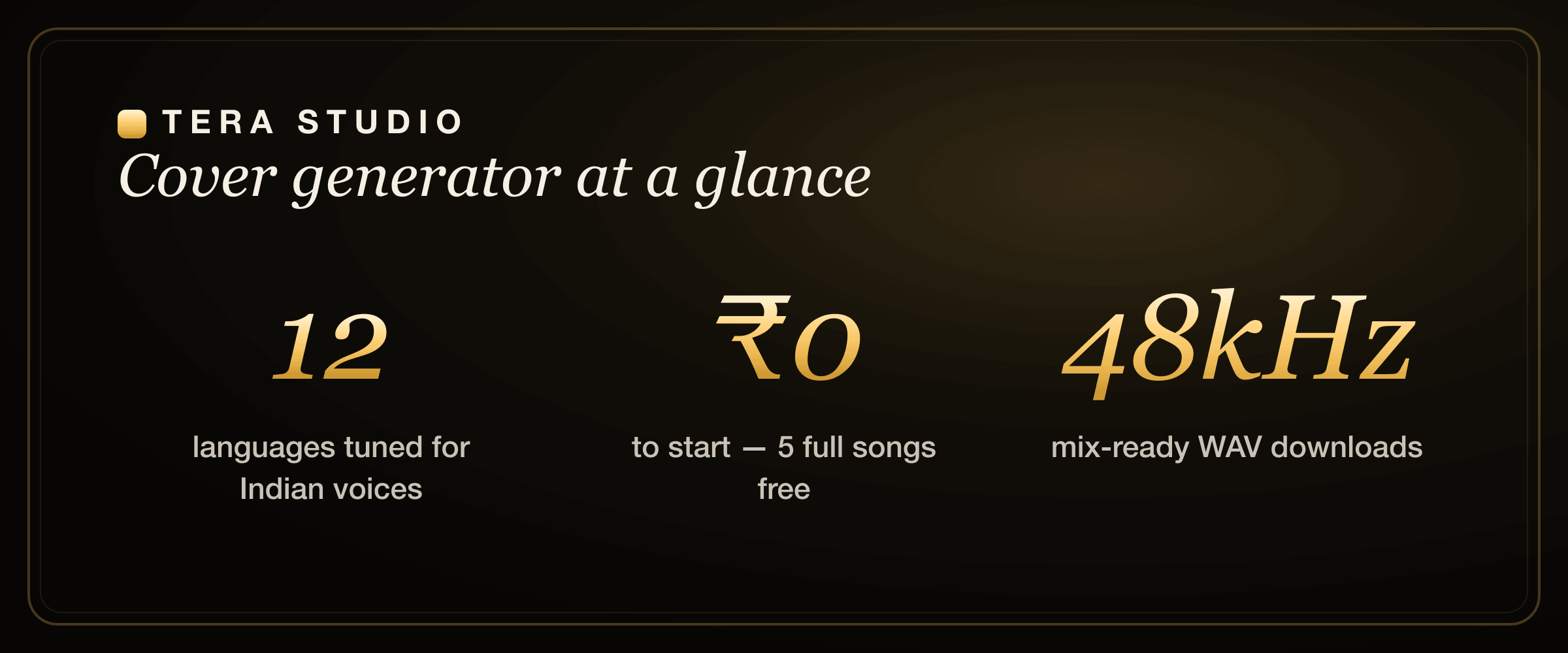
Tera Studio supports 12 languages and clones your voice from about 30 seconds of audio in roughly 20 minutes of training — and the free tier costs ₹0 with 2 listen-only full songs before you ever touch a card.
How does an AI cover song generator work?
A voice-conversion cover generator works in two stages, and understanding them tells you why some tools sound robotic and others sound like you.
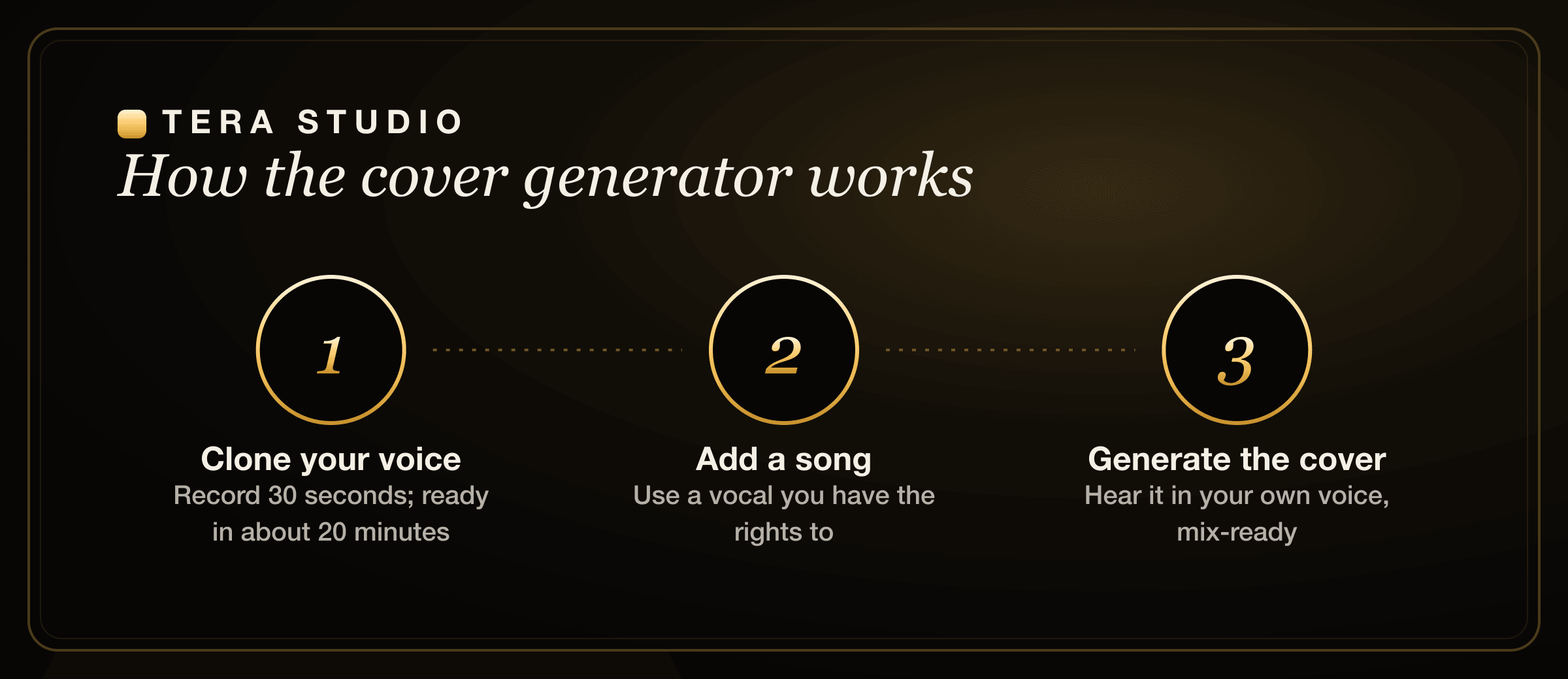
First, training: you give the tool a clean sample of your voice. Tera needs only about 30 seconds, and training finishes in roughly 20 minutes. The model learns your timbre — the specific colour and texture that makes your voice recognisably yours.
Second, conversion: you provide a sung performance (you singing the song, or an acapella you have the rights to), and the model re-renders that exact performance in your cloned voice. Crucially, the performance — timing, pitch movement, breath, vibrato — comes from the input take, not from a text prompt. That is the whole reason a real cover sounds human: there is a human performance underneath it.
This is also why text-to-singing and full-song generators feel different. They synthesise a performance from scratch, so the "feel" is invented by the model. Conversion keeps the soul of your take and only swaps the voice. If you want to try the underlying clone step on its own first, see how to clone your voice free.
What makes a cover generator actually good
Not all converters are equal. The things that separate a usable cover from a gimmick:
- It preserves the performance. Your phrasing, breath, vibrato and dynamics should survive the conversion. If the tool flattens your singing into something robotic, it failed.
- It handles your language. An English-tuned model will mangle Hindi, Tamil, Punjabi or Telugu pronunciation. Language-tuned models keep the words — and the feel — intact.
- It clones your own voice well. The magic moment is hearing a song in your voice. That needs a fast, good clone from a short sample.
- It gives you clean output. Mix-ready audio (ideally 48 kHz WAV), no watermark stamped over your work.
Tera is designed around exactly these four: real performance conversion, 12 language-tuned models, a roughly 20-minute voice clone from 30 seconds of audio, and mix-ready downloads on paid plans. If budget is your main filter, the cheapest AI singing voice generator breakdown ranks tools by price-per-song instead of features.
Can I make an AI cover in my own voice for free?
Yes — and this is where Tera stands apart from most of the field. The free tier includes 1 clone + 2 listen-only full songs, with no watermark and no credit card. That is enough to clone your voice, cover two songs end to end, and decide whether the result is good before you spend anything.
Many rivals offer a free tier too, but it is usually metered in seconds of conversion, gated behind a USD subscription for full downloads, or watermarked. The honest summary: nearly everyone has a "free" mode; few let you actually hear 2 listen-only full songs in your own cloned voice at zero cost. If you are weighing apps specifically for the Indian market, the best AI singing app in India roundup compares the free tiers side by side.
Can I make covers in Hindi and other Indian languages?
Yes, and this is the single biggest reason to choose Tera for the Indian market. Most converters are tuned on English data, so Indian-language vowels, retroflex consonants and phrasing come out approximate at best. Tera tunes for 12 languages specifically, including Hindi, Hinglish, Punjabi, Tamil, Telugu, Bengali, Marathi, Gujarati, Kannada, Malayalam, Urdu and English.
In practice that means a Hindi cover keeps its natural vowel length and a Punjabi cover keeps its bounce instead of sounding clipped. We have language-specific walkthroughs for the most popular cases — how to make a Hindi AI cover, Punjabi AI cover songs, Bengali AI cover songs, Marathi AI cover songs, and the AI voice generator for Tamil and Telugu.
Why your-own-voice covers beat generated tracks
Generated songs (the Suno/Udio type) are fun and fast, but they have a ceiling for creators:
- It isn't your voice, so it doesn't build your artist identity.
- You don't control the performance — you're nudging a prompt, not singing.
- You can't reliably reproduce or evolve a specific vocal style.
A cover in your own cloned voice is the opposite: it's unmistakably you, you control every take, and your style is consistent across every song. For anyone building a presence as a singer or creator — especially voice cloning for YouTubers — that's the difference between a novelty and a real production tool.
Is it legal to make an AI cover song?
Using your own cloned voice is straightforward — it is your voice, and on Tera your trained model stays private to your account. Cloning anyone else's voice requires their explicit permission, which Tera's consent-first design enforces. Separately, the song you cover may carry its own copyright in the composition, so how you publish or monetise a cover of someone else's work can still need music licensing. For the full picture, read our guide on the law on AI voice cloning in India.
How to start on Tera (free)
- Decide the type. Want it in your voice? Use a converter like Tera. Want a brand-new AI track instead? Use a song generator like Suno.
- Sign up free at terastudio.co — no card required.
- Clone your voice: record or upload about 30 seconds of clean singing. Training finishes in roughly 20 minutes.
- Bring a song you have the rights to and convert the vocal into your cloned voice.
- Choose the best take. Stay on the free tier to listen to 2 listen-only full songs in-app, or upgrade from ₹499/month for 48 kHz mix-ready WAV downloads and AI lipsync video.
- Create your account and start now: sign up free.
Frequently asked questions
What is the best AI cover song generator?
For covers in your own voice, Tera Studio is the best pick — it converts your real performance into your cloned voice across 12 languages and starts free with no card. For brand-new AI tracks, a generator like Suno fits better; for typed text-to-singing or voiceover, ElevenLabs is the benchmark.
Can I make an AI cover in my own voice for free?
Yes. Tera's free tier includes 1 clone + 2 listen-only full songs with no watermark and no credit card. That is enough to clone your voice and finish two complete covers before deciding whether to upgrade.
What's the difference between an AI song generator and a cover generator?
A song generator creates a brand-new track from a text prompt — the voice is synthetic and not yours. A cover generator converts an existing sung performance into a different or your own voice. The performance underneath a true cover is real, which is why it sounds human rather than generated.
Does an AI cover sound robotic?
It should not. Good converters like Tera preserve your phrasing, breath and dynamics because they convert a real sung take rather than synthesising from text. Robotic results usually come from using a text-to-singing tool, or an English-tuned model on an Indian-language song.
Can I make covers in Hindi or other Indian languages?
Yes. Tera supports 12 languages tuned for Indian singing, including Hindi, Hinglish, Punjabi, Tamil, Telugu, Bengali, Marathi, Gujarati, Kannada, Malayalam, Urdu and English, so pronunciation and phrasing stay natural instead of being approximated by an English-first model.
How long does it take to clone my voice and make a cover?
Cloning needs about 30 seconds of clean audio, and training finishes in roughly 20 minutes. After that, converting each new song into your cloned voice takes only a few minutes per take, so you can build a catalogue quickly.
Can I download a mix-ready file for my DAW?
Yes, on paid plans. The free tier lets you preview 2 listen-only full songs in-app, while plans from ₹499/month unlock 48 kHz mix-ready WAV downloads — clean stems you can drop straight into a mix — plus AI lipsync video for posting to social platforms.