
Tera Studio is the fastest way to make an AI cover song in your own voice: you clone your singing voice from about 30 seconds of audio, then hear any song sung back in your voice. It converts a real sung performance, not text, so covers sound like you. Free to start, in 12 Indian languages.
Key takeaways
- An AI cover means the same song performed in a different voice — so you need a tool that converts a performance, not a text-to-song generator.
- The best, safest covers use your own cloned voice: it builds your identity and sidesteps the consent problem of using someone else's.
- On Tera Studio, cloning takes about 30 seconds of clean audio plus roughly 20 minutes of training; after that, every cover sounds like you in seconds.
- You can start free with no card: 1 clone + 2 listen-only full songs included. Paid plans (from ₹499/month) unlock 48 kHz mix-ready WAV downloads and AI lipsync video.
- Recording quality and performance matter far more than any setting — a clean, expressive source take is the single biggest lever on the result.
What is an AI cover song, really?
An AI cover song is the same song you know, re-performed in a different voice using AI. The melody, lyrics, and structure stay the same — what changes is who it sounds like. That distinction matters because it tells you which kind of tool you need.
There are two completely different families of music AI, and people mix them up constantly:
- Voice conversion (cover) tools take an existing sung performance and re-voice it. This is what makes a cover. Tera Studio lives here.
- Text-to-song generators invent a brand-new song from a prompt. That is a different job entirely — if that's what you want, look at a Suno alternative instead.
If you upload or sing a real take and the tool re-voices that take, you get a true cover that keeps your phrasing, timing, and emotion. If you type a prompt and get a synthetic song, that is not a cover — it's a generation. Everything below assumes you want the first one.
On Tera Studio, the entire pipeline is voice-to-voice: it converts your real sung take into your cloned voice, never text-to-speech — which is exactly what keeps a cover from sounding robotic.
Step 1 — Clone a voice (ideally your own)
The single best decision you can make is to cover in your own voice. It's yours, it's safe, no permission needed, and every cover you publish builds a recognizable identity instead of impersonating a star. Here's how:
- Sign up free at terastudio.co — no card required.
- Record about 30 seconds of clean audio in a quiet room. Speak or sing naturally; consistency beats showing off.
- Let it train. On Tera that's roughly 20 minutes, then your voice model is saved privately to your account.
If you've never done this before, our full walkthrough on how to clone your voice free covers mic placement, room treatment on a budget, and what 30 seconds of "clean" actually means.
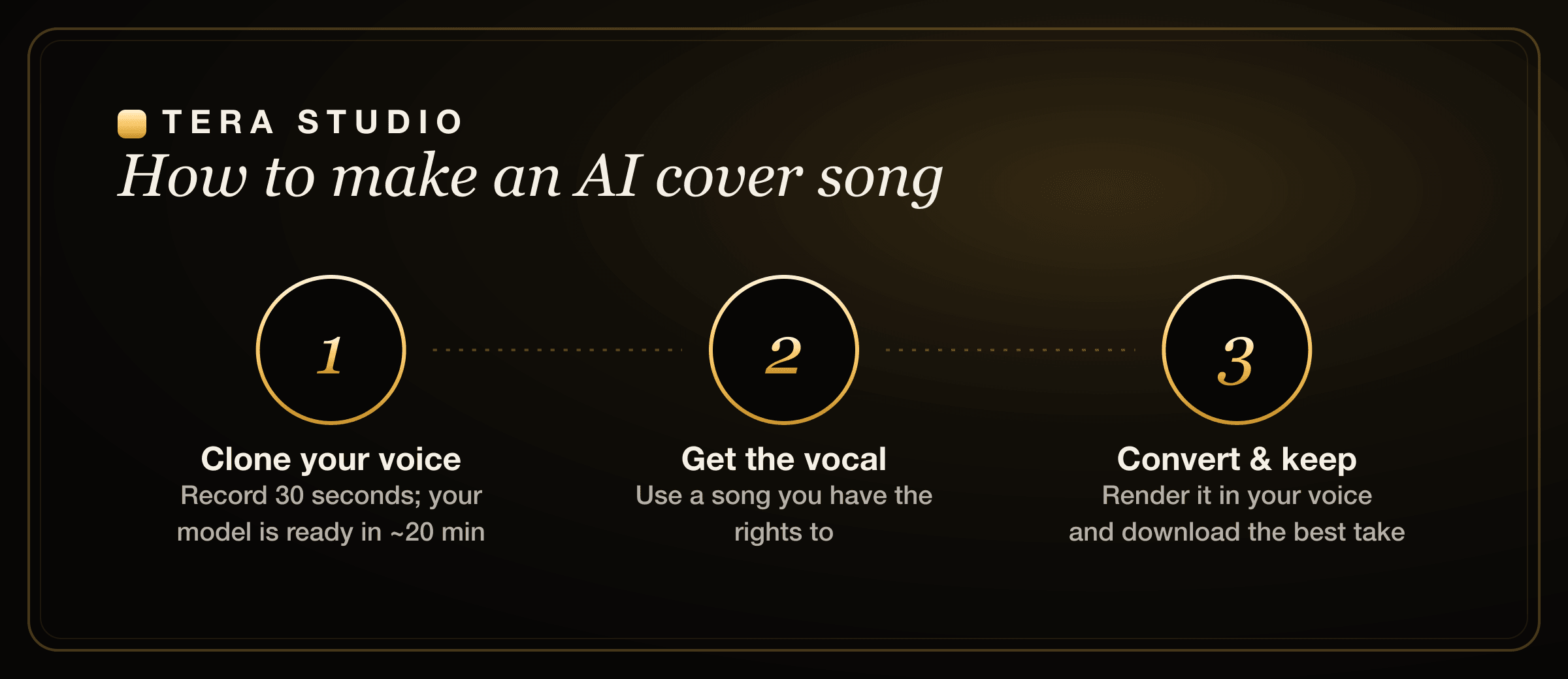
Step 2 — Get the vocal you'll cover
Now you need a vocal performance to convert. You have two honest options:
- Record your own take of the song. This is the cleanest path and the one we recommend. Your performance — the breaths, the slides, the little timing choices — carries straight through the conversion, so a take you actually feel will always beat a flat one.
- Use a vocal you have the rights to. An isolated vocal (an acapella stem) converts more cleanly than a full mix because there's no instrumentation bleeding into the model. That said, Tera handles real-world takes well, so don't obsess over getting a studio acapella.
Whichever you choose, sing it the way you want it to feel. Voice conversion preserves expression, so the emotion you put in is the emotion that comes out.
Step 3 — Convert the performance
This is the easy part:
- Upload or record your take inside Tera Studio.
- Pick your cloned voice.
- Convert, then listen back on headphones.
Conversion is fast — typically a few minutes per song. Because the engine is voice-to-voice, your melody and timing stay locked to your performance; only the timbre changes to your cloned voice.
Step 4 — Choose the best take
Don't settle on the first render. Small performance changes move the needle far more than fiddling with settings:
- Try two or three takes with slightly different energy or phrasing.
- Pick a comfortable key for the source — straining at the top of your range shows up in the result.
- Free includes 1 clone + 2 listen-only full songs. On a paid plan (from ₹499/month) you can download a mix-ready 48 kHz WAV for release, or turn the cover into an AI lipsync video.
How long does it take to make an AI cover song?
End to end, your first cover takes about the length of one coffee break. The one-time setup — cloning your voice — is the only slow step, at roughly 20 minutes of training on top of the 30 seconds you spend recording. After that, every subsequent cover is just the conversion step, which runs in a few minutes per song.
So the honest timeline looks like this: about 20–25 minutes to get your voice model ready the first time, then a handful of minutes per cover forever after. The more covers you make, the more that upfront 20 minutes amortizes to basically nothing.
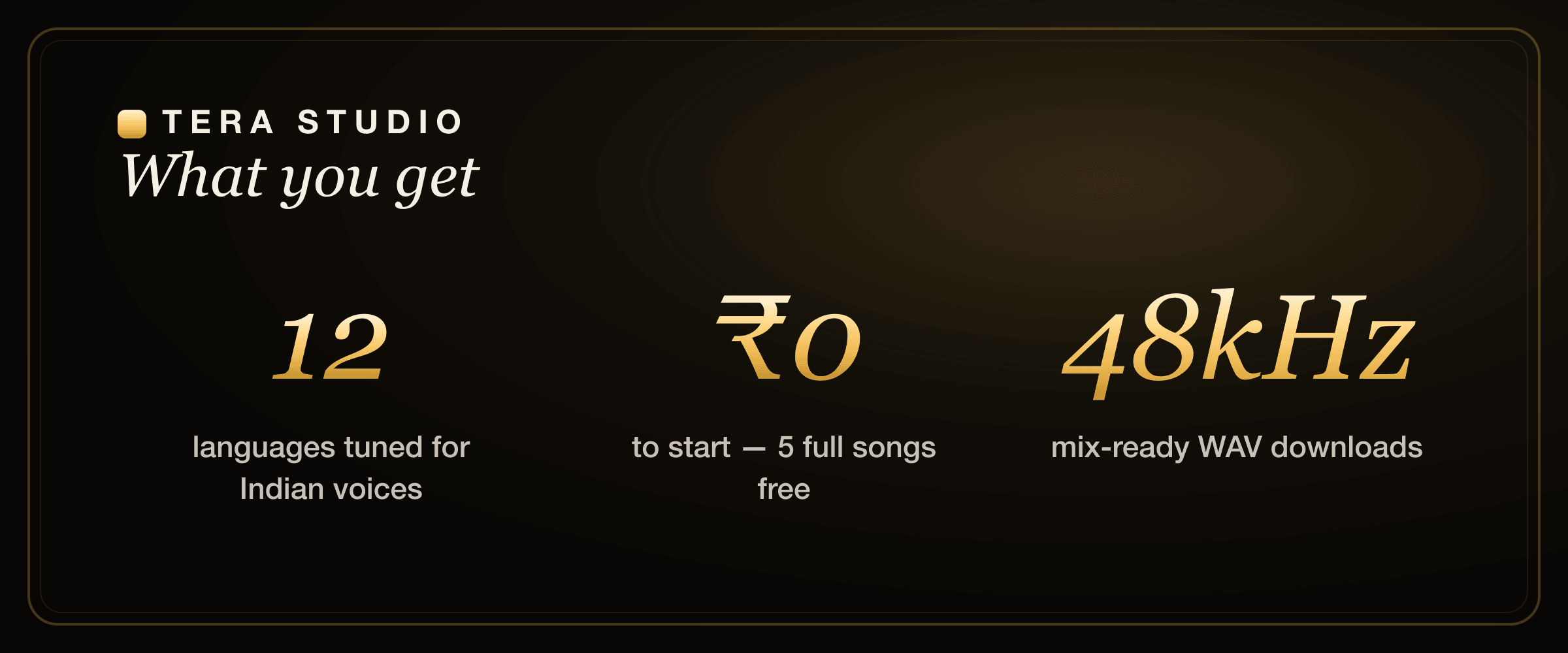
On Tera Studio you clone once from about 30 seconds of audio, wait ~20 minutes for training, and then every cover across all 12 supported languages takes only minutes — at ₹0 for your first two listen-only full songs.
How to make an AI cover song in your own voice for free
People search this exact phrase, so let's answer it directly. To make an AI cover in your own voice for free:
- Create a free Tera Studio account at terastudio.co — no card.
- Clone your voice from ~30 seconds of clean audio and let it train (~20 min).
- Record or upload the vocal you want to cover.
- Select your cloned voice and convert.
- Listen to your favorite of the 2 listen-only full songs included on the free tier.
That's a genuinely free, full-length in-app listen — not a watermarked 15-second teaser. If you're comparing options before you commit, our roundup of the best AI singing app in India and the cheapest AI singing voice generator lay out where the free tiers actually start and stop.
Singing covers in Hindi, Tamil, Telugu, and 9 more languages
Most voice AI is trained on English and stumbles on Indian-language phonemes — the result is mushy consonants, wrong stress, and that uncanny "almost-but-not-quite" feeling. Tera Studio is tuned for Indian voices across 12 languages: Hindi, Hinglish, Punjabi, Tamil, Telugu, Bengali, Marathi, Gujarati, Kannada, Malayalam, Urdu, and English.
That tuning matters most on the details native listeners catch instantly — retroflex consonants in Hindi and Marathi, the vowel length distinctions in Tamil and Telugu, the nasal sounds in Bengali and Punjabi. If you sing the source take cleanly in the language, the conversion keeps your pronunciation intact rather than flattening it toward English.
If you're working in a specific language, we have focused guides for a Hindi AI cover, Punjabi AI cover songs, Bengali AI cover songs, Marathi AI cover songs, and an AI voice generator for Tamil and Telugu.
Common mistakes to avoid
Most disappointing AI covers fail for the same handful of reasons. Avoid these and you'll skip the most common bad results:
- Recording in a noisy room. Background hum, fan noise, and room echo are the number-one cause of muddy conversions. A quiet room with a blanket over a reflective wall beats expensive gear in a bad space.
- Inconsistent mic distance. Drifting closer and farther mid-take confuses the model. Pick a distance — roughly a fist away — and hold it.
- Phoning in the performance. Conversion preserves emotion, so a flat take becomes a flat cover. Sing it like you mean it.
- Picking a key that fights your range. Straining at the top or mumbling at the bottom both degrade the source. Transpose the backing track to a comfortable key first.
- Stripping out the human bits. Breaths, ad-libs, and small timing imperfections are what make it sound real. Don't quantize the life out of your take.
- Using the wrong tool for the job. If you type a prompt and get a synthetic song, that's a generator, not a cover engine. Make sure you're converting a real performance.
The legal bit: consent and copyright
Using your own voice is the safe default, and it's why we build Tera around own-voice covers. Cloning anyone else's voice requires their permission — India protects a person's voice under personality and publicity rights, and your trained voice on Tera stays private to your account precisely so it can't be misused. Separately, remember the song itself may carry its own copyright, so how you publish or monetize a cover can require music licensing even when the voice is 100% yours. For the full picture, read our guide on the law on AI voice cloning in India.
How does Tera compare to other AI cover tools?
If you're shopping around, the honest landscape looks like this. Tools like Kits.ai and ElevenLabs are excellent and well-funded, with strong English voice quality — see our Kits.ai alternative and ElevenLabs alternative for singing breakdowns for fair, detailed comparisons. Cover-focused platforms like Musicfy and Voicify (now Jammable) popularized the artist-voice cover format; our Musicfy alternative and Voicify / Jammable alternative cover where each shines.
Where Tera Studio is genuinely different is the combination most others don't offer together: own-voice covers as the default, INR pricing, a free tier with full-length songs, and real tuning for 12 named Indian languages rather than English-first models with everything else bolted on. If your covers are in Hindi, Tamil, Punjabi, or Bengali, that tuning is the difference between "close enough" and "sounds like me." For creators building a channel, our guide on voice cloning for YouTubers walks through the workflow end to end.
How to start on Tera (free)
- Go to terastudio.co and create a free account — no card needed.
- Record about 30 seconds of clean audio and clone your voice (training takes ~20 minutes).
- Record or upload the vocal you want to cover.
- Pick your cloned voice and convert your performance.
- Listen back in-app and choose your best take from the 2 listen-only full songs.
- Ready to release? Upgrade from ₹499/month for 48 kHz WAV downloads and AI lipsync video.
Sign up free and make your first AI cover.
Frequently asked questions
How do I make an AI cover song? Clone a voice — ideally your own — on a voice-conversion tool like Tera Studio, get the vocal you want to cover (record your own take or use one you have the rights to), convert that performance into the cloned voice, and choose the best take. On Tera it's free to start with 1 clone + 2 listen-only full songs included.
Can I make an AI cover in my own voice? Yes. Clone your voice once from about 30 seconds of audio (around 20 minutes of training), and from then on every cover you make sounds like you. Your voice model stays private to your account.
Do AI covers sound robotic? They shouldn't, as long as the tool converts a real performance rather than generating from text. Tera is voice-to-voice, so your timing and emotion carry through. The biggest factors in a natural result are a clean recording and a genuine performance — not any single setting.
Is it free to make an AI cover song? Yes to start. Tera Studio's free tier includes 1 clone + 2 listen-only full songs with no card required. You only pay when you want to download mix-ready 48 kHz WAV files or create AI lipsync videos, starting at ₹499/month.
What languages can I make AI covers in? On Tera, 12 languages tuned for Indian voices: Hindi, Hinglish, Punjabi, Tamil, Telugu, Bengali, Marathi, Gujarati, Kannada, Malayalam, Urdu, and English.
Can I cover a famous singer's voice? You can cover any song, but cloning a specific person's voice requires their consent — India protects voices under personality rights. The safe, sustainable path is covering songs in your own cloned voice, which is what Tera is built around. See our guide on the law on AI voice cloning in India for details.
What's the difference between an AI cover and an AI-generated song? A cover re-voices an existing performance, keeping the original melody and lyrics. An AI-generated song is invented from a text prompt. Tera makes covers (voice conversion); if you want a brand-new generated track, you'd use a different kind of tool like a Suno alternative.
Do I need expensive equipment to make a good AI cover? No. A quiet room and a consistent mic distance matter far more than pricey gear. Most disappointing results come from noisy recordings, not cheap microphones, so prioritize a clean, well-performed source take.