
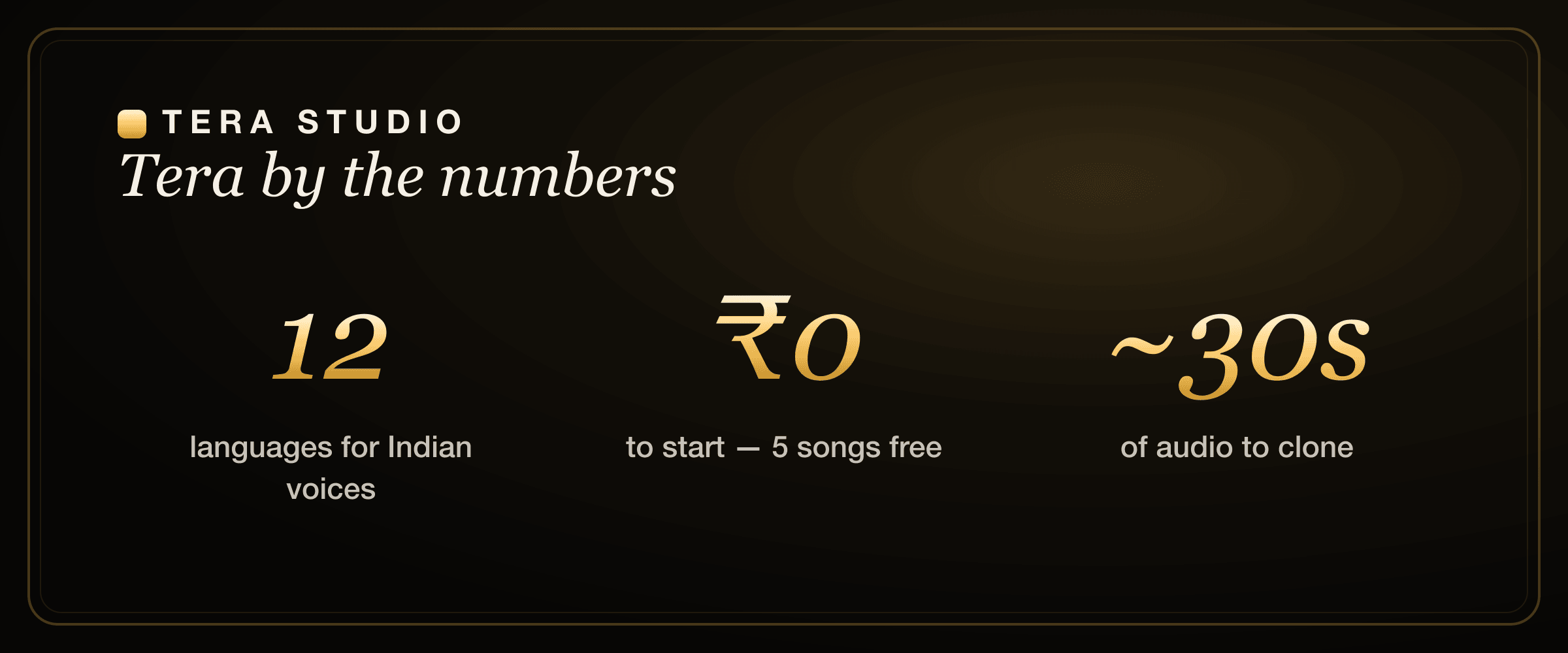
Tera Studio and ElevenLabs solve different jobs. ElevenLabs is the market leader for text-to-speech and AI voiceover, while Tera Studio is purpose-built for singing: you clone your own voice and hear real songs back in it, across 12 languages tuned for Indian voices. For narration, pick ElevenLabs. For covers, pick Tera, and it starts free.
Key takeaways
- ElevenLabs converts text into speech; Tera Studio converts a real sung performance into your trained voice. One makes a voiceover, the other makes a cover. That is the whole decision in one line.
- Tera Studio clones your singing voice from about 30 seconds of audio (training takes around 20 minutes) and sings in 12 languages including Hindi, Tamil, Telugu, Bengali, Marathi and Punjabi.
- Tera's free tier gives you 1 clone + 2 listen-only full songs with no card; paid plans run ₹499 to ₹2,999 per month and mainly unlock 48 kHz mix-ready WAV downloads and AI lipsync video.
- ElevenLabs is genuinely excellent at what it does (multilingual TTS, dubbing, audiobooks), and many creators use both: ElevenLabs for the spoken parts, Tera for the music.
- If you make music in an Indian language, Tera's singing-tuned language coverage is the deciding factor that no text-to-speech tool matches.
Tera Studio vs ElevenLabs at a glance
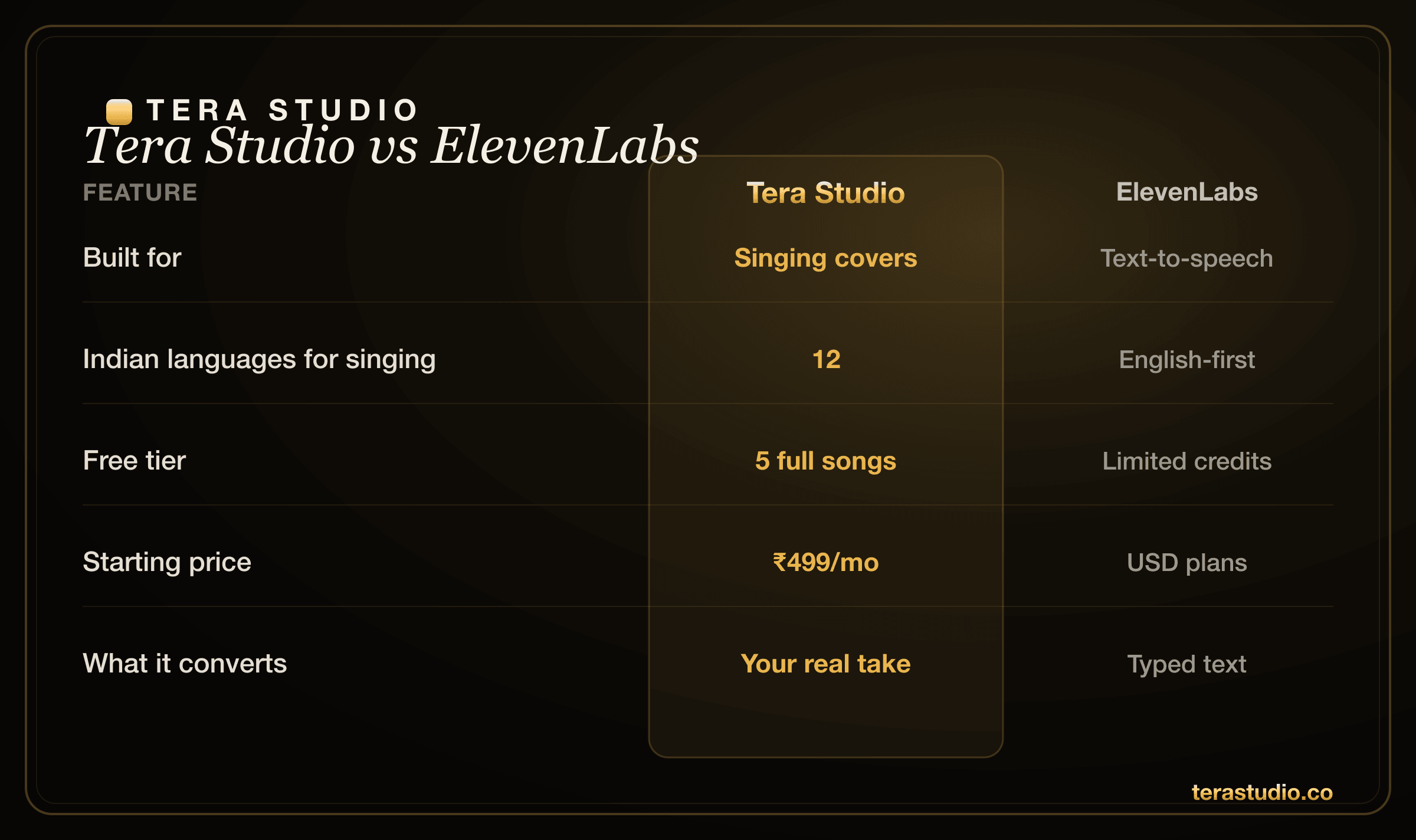
The fastest way to see the difference is to put the two side by side on the things that actually matter for music. Notice that the row that decides most cases is the very first one: input. ElevenLabs starts from text. Tera starts from a performance you sang.
| Feature | Tera Studio | ElevenLabs |
|---|---|---|
| Core job | Singing and voice covers | Text-to-speech, voiceover, dubbing |
| Input | A real sung performance becomes your voice | Text becomes spoken audio |
| Best for | Covers, song demos, music, vocals | Narration, audiobooks, video VO, IVR |
| Indian languages for singing | 12, tuned for singing | Strong multilingual TTS, not singing |
| Free tier | 1 clone + 2 listen-only full songs, no card | Free tier with limited characters |
| Pricing | INR, ₹0 free then ₹499 to ₹2,999/mo | USD-priced plans |
| Downloads | 48 kHz mix-ready WAV | Speech audio export |
| Consent model | Trained voice is private to your account | Voice library and instant cloning |
Quick buying decision
Choose ElevenLabs when the job begins with a script. Choose Tera Studio when the job begins with a song. That sounds simple, but it prevents the most expensive mistake: paying for a text-to-speech tool and then trying to force it into a music workflow.
For an Indian creator, Tera is the lower-risk first test because the free tier gives you 1 private clone + 2 listen-only full songs before checkout. Render one Hindi, Tamil, Punjabi or Bengali cover in your own voice; if the performance feels alive, you have the proof that matters. Start with the free Tera test and keep ElevenLabs for the spoken parts of your videos.
Where ElevenLabs is genuinely strong
It would be dishonest to pretend ElevenLabs is anything other than excellent. For spoken audio it is usually the right call, and we will say so plainly.
ElevenLabs is the category leader in text-to-speech realism. If you type a script and want a natural, expressive narrator reading it back, few tools match the smoothness, pacing and emotional control it offers. That makes it the default choice for explainer videos, audiobooks, ad reads, IVR and phone systems, and dubbing existing dialogue into other languages.
Its multilingual TTS is broad and improving fast, including support for many Indian languages as spoken voices. The ready-made voice library is large, so you can ship a voiceover in minutes without training anything. For developers, the API and tooling are mature and well documented. If your output is words being spoken, this is a deservedly popular, polished product, and Tera does not try to compete with it on that ground.
The one thing to keep in mind is pricing currency: ElevenLabs bills in USD plans, which for Indian creators can feel steep once you convert. But you should choose on the job first, not the exchange rate.
Where Tera Studio wins
Tera is built for one thing ElevenLabs does not do: turning a real vocal take into a finished cover. When you sing into Tera, your phrasing, your breaths, your vibrato and your dynamics survive the conversion, because the model is performing voice-to-voice, not reading text aloud. The result sounds like singing because it started as singing.
The second advantage is language depth for music specifically. Tera is tuned for singing in Hindi, Hinglish, Punjabi, Tamil, Telugu, Bengali, Marathi, Gujarati, Kannada, Malayalam, Urdu and English. Tera Studio sings in 12 languages tuned for Indian voices, a depth of Indian-language coverage for music that text-to-speech tools simply do not offer. That uncontested wedge is why a creator making a Hindi AI cover or a Punjabi AI cover song reaches for Tera rather than a TTS engine.
Third is price and access. You can start for ₹0 with a real working clone and 2 listen-only full songs, no card required, then upgrade in INR from ₹499 per month when you want 48 kHz mix-ready WAV downloads or AI lipsync video for the song. If budget is your main filter, see how Tera stacks up as the cheapest AI singing voice generator for Indian users.
Does ElevenLabs do singing?
This is the question almost everyone types, so here is the direct answer: ElevenLabs is built for text-to-speech and voiceover, not for converting a sung performance into a cover. You can sometimes coax melodic phrasing out of a TTS model, but it is not designed to take a song you sang and re-voice it while keeping the timing and emotion intact.
That is exactly the gap Tera fills. If you want to make a cover, meaning you sing a track and hear it back in your own or a licensed voice, a singing-focused tool is the right fit. We go deeper on this exact comparison in our guide to the best ElevenLabs alternative for singing, which walks through what changes when a model is trained on performance rather than narration.
Which is better for Indian languages?
For spoken audio, ElevenLabs supports many Indian languages well and will read your Hindi or Tamil script naturally. For sung audio, the answer flips. Singing in an Indian language is not the same task as speaking one: vowel length, ornamentation, the way meend and gamak slide between notes, and the rhythmic feel of the lyric all have to survive. A model tuned for singing handles those musical details that a speech model is not built to reproduce.
Tera is tuned for singing in 12 named Indian languages, which is why it shows up at the top of round-ups of the best AI singing app in India. If your project is a Bengali AI cover song or a Marathi AI cover song, you want the singing engine, not the TTS one. For spoken Tamil or Telugu voiceover work, a dedicated Tamil and Telugu AI voice generator write-up covers your options.
How much does each one cost?
Tera Studio is priced in INR and starts at ₹0. The free tier is a real, usable plan: 1 clone + 2 listen-only full songs, no card. Paid tiers run ₹499, ₹999, ₹1,999 and ₹2,999 per month, and what they mostly buy you is delivery quality: 48 kHz mix-ready WAV downloads instead of preview-grade audio, plus AI lipsync video credits so the song can have a face.
ElevenLabs prices in USD across a free tier and several paid plans. Its free tier is character-limited, and paid plans scale up the character allowance and feature set. Because the exact figures change, check their current pricing page before committing. The practical takeaway for an Indian creator: Tera lets you produce 2 listen-only full songs for ₹0 before you ever enter a card, which is a low-risk way to hear your own voice on a track and decide if it is for you. Compare on the job first, but for music in INR, Tera is usually the friendlier starting point.
Can I use both together?
Yes, and plenty of creators do exactly that. ElevenLabs handles the spoken layer of a video: the intro narration, the explainer voiceover, the dubbed dialogue. Tera handles the music: the hook, the cover, the sung demo in your own voice. They are complementary, not rivals, because one converts text and the other converts performance.
If you are a creator building a channel, our guide to voice cloning for YouTubers covers how to combine a narration tool with a singing tool in one workflow. And if you have never cloned a voice before, how to clone your voice free is the gentlest place to begin.
Is it legal to clone a voice for covers?
Cloning your own voice is straightforward; cloning anyone else's requires their permission. Tera is consent-first by design: your trained voice is private to your account, and using someone else's voice means getting their consent and respecting the rights of the original song you are covering. Before you publish a cover commercially, read up on the law on AI voice cloning in India so you stay on the right side of consent and disclosure.
How to start on Tera (free)
- Go to terastudio.co and sign up free, no card needed.
- Record about 30 seconds of clear singing to train your voice. Training finishes in roughly 20 minutes.
- Pick a song you have the rights to, choose your trained voice, and convert the performance.
- Listen back, keep your best take, and on a paid plan download a 48 kHz mix-ready WAV (or add an AI lipsync video).
If you would rather follow a full walkthrough first, how to make an AI cover song takes you step by step from a blank account to a finished cover.
Frequently asked questions
Does ElevenLabs do singing?
ElevenLabs is built for text-to-speech and voiceover, not for converting a sung performance into a cover. To make sung covers, meaning you turn a real vocal take into a trained voice, a singing-focused tool like Tera Studio is the better fit. Tera keeps your phrasing, breath and vibrato because it works voice-to-voice rather than reading text aloud.
Is Tera Studio a good ElevenLabs alternative?
For singing and voice covers, yes, especially in Indian languages and especially if you want to start free and pay in INR. For pure text-to-speech voiceover, ElevenLabs remains the stronger choice. Think of it as a job-based decision rather than a winner-takes-all one. If you want a broader list, see our ElevenLabs alternative for singing guide.
Which is cheaper, Tera Studio or ElevenLabs?
Tera is priced in INR, starting at ₹0 free and paid from ₹499 per month, which is generally cheaper for Indian users than USD-based plans. ElevenLabs prices in USD across a free and several paid tiers. Compare on the job first, since they are built for different things, but for music in rupees Tera is usually the friendlier starting point.
Can I use Tera for Hindi or Tamil covers?
Yes. Tera is tuned for singing in 12 languages including Hindi, Tamil, Telugu, Bengali, Marathi and Punjabi. The vowel length, ornamentation and rhythmic feel that matter in Indian-language singing are handled by a model trained on performance, not speech.
How long does it take to clone my voice on Tera?
You record about 30 seconds of singing, and training completes in roughly 20 minutes. After that your private voice is ready to sing any track you have the rights to, as many times as your plan allows.
Can I legally release a cover I made with my cloned voice?
You can freely use your own cloned voice, but the underlying song still has rights holders, so covering a copyrighted track for commercial release may need a licence. Cloning someone else's voice always requires their permission. Read the law on AI voice cloning in India before you publish commercially.
Should I just use both tools?
Often, yes. Use ElevenLabs for spoken narration and dubbing, and use Tera for the sung music in your own voice. They are complementary, and combining them is common in real creator workflows like voice cloning for YouTubers.