
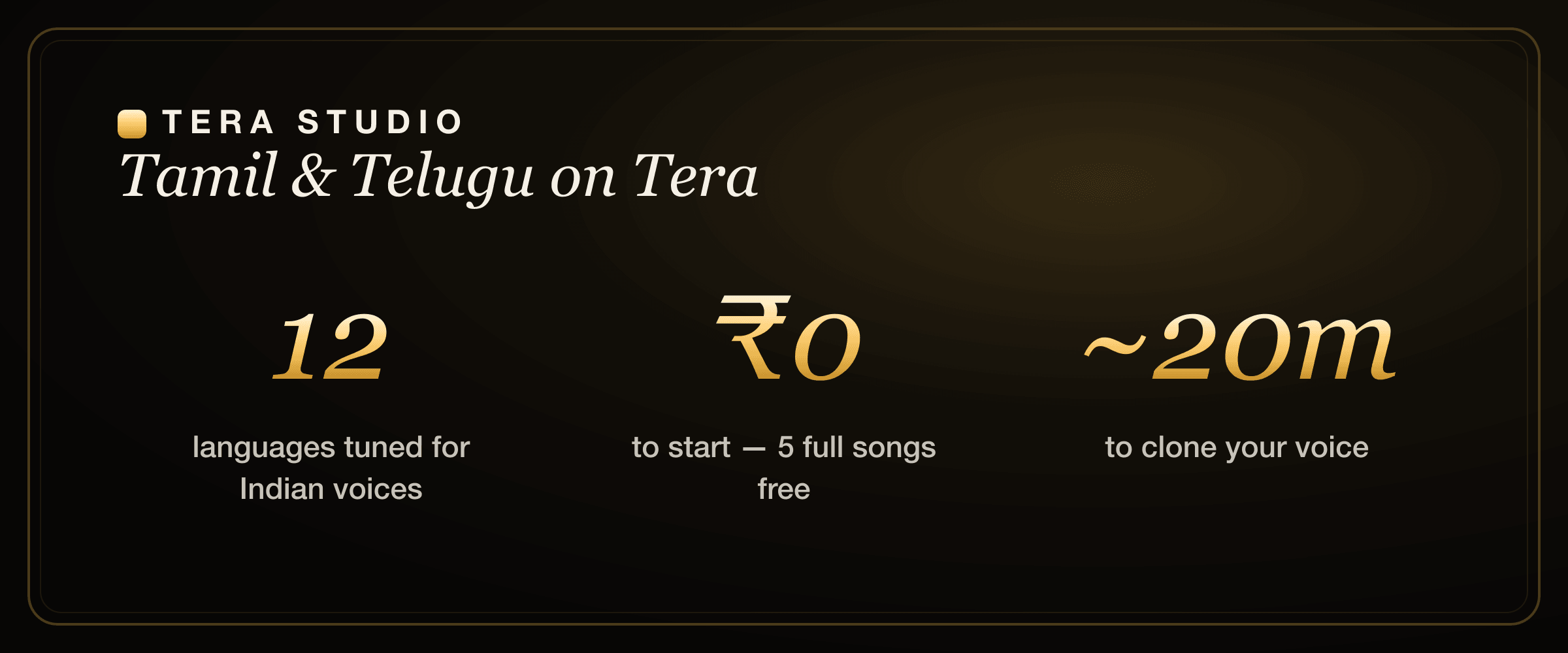
Tera Studio is the best AI voice and singing generator for Tamil and Telugu because it converts a real sung performance into your own cloned voice instead of reading text aloud. It keeps Tamil and Telugu pronunciation, phrasing, and the gamakas that make South-Indian vocals what they are. It starts free with 2 listen-only full songs and runs from ₹499/month.
Key takeaways
- For spoken Tamil or Telugu, many text-to-speech tools work well; for singing covers in those languages, Tera Studio is purpose-built and clones your own voice.
- You clone your voice once from about 30 seconds of audio, then sing covers in Tamil, Telugu and 10 more Indian languages with the same trained voice.
- The free tier needs no card: 1 clone + 2 listen-only full songs in-app.
- Because Tera converts your real performance, retroflex consonants, long vowels and gamaka slides survive instead of getting quantized away.
- Paid plans from ₹499/month mainly add 48 kHz mix-ready WAV downloads and AI lipsync video.
If you have ever tried to make a Tamil or Telugu cover with an English-first AI tool, you already know the problem. The words come out wrong, the emotion flattens, and the result is unusable. The fix is to stop generating singing from text and start converting a real performance instead. That distinction is the whole article, so let's make it concrete.
What is the best AI voice generator for Tamil and Telugu?
The honest answer depends on what you are making. There are two completely different jobs that both get called "AI voice for Tamil and Telugu," and the right tool is different for each.
The first job is text-to-speech (TTS): you type a sentence and hear a synthetic voice read it. Many global tools now support Tamil and Telugu speech, and some are genuinely good at it. If you need a narrated ad, an explainer voiceover, or an IVR prompt, a strong TTS engine is the correct choice, and we are not going to pretend otherwise.
The second job is singing and voice covers: you take a real vocal performance and render it in a target voice, singing, with the melody, timing and ornaments intact. This is much harder, and it is where almost every English-first tool falls down for Indian languages. Tera Studio is built for this second job. It does not read your lyrics in a robot voice. It takes your sung take and renders it in your cloned voice, in Tamil, Telugu and 10 more languages.
So the short version: narration in Tamil or Telugu → a good TTS tool. Covers and music in your own voice → Tera Studio. If your goal is a full cover from scratch, our step-by-step AI cover song guide walks through the same workflow we describe below.
Why English-first AI tools struggle with Tamil and Telugu singing
Three things break when a model trained mostly on English meets a South-Indian vocal.
Pronunciation drift. Tamil and Telugu lean on sounds that English barely uses: retroflex consonants (the tongue curled back for ண, ட, ண் or ణ, డ), the soft-versus-hard consonant pairs, and long vowels that change the meaning of a word entirely. Models that have not heard much of this tend to round those sounds off toward the nearest English phoneme, and a knowledgeable listener hears it instantly.
Lost ornaments. Carnatic-influenced singing lives on gamakas — the slides, oscillations and microtonal bends between notes. A tool that quantizes hard to a Western twelve-note grid sands those off, and the cover stops sounding South Indian even if every word is technically correct. The melody becomes stiff.
Flat emotion. Text-to-singing engines have to guess at expression: where you would push, where you would hold back, where a phrase breathes. Converting a real performance removes the guessing, because the feeling you actually sang is already in the recording.
Tera is tuned to respect phrasing and ornamentation rather than flatten it, which is why a Tamil or Telugu cover made this way sounds like it belongs. The same advantage shows up across the catalogue — it is the reason the same engine handles a Bengali AI cover song or a Marathi AI cover song without you retraining for each one.
Singing in Tamil and Telugu: what actually carries through
Because the input is your own sung take, the things you control as a singer are the things that survive. Here is what that means in practice, and where to be careful.
Your diction is the source of truth. The model is not inventing Tamil or Telugu pronunciation from text; it is following the consonants and vowels you actually sang. If you nail the retroflexes and vowel lengths in your take, the converted voice keeps them. This is a feature, but it also means a sloppy take stays sloppy — sing it the way you want to hear it back.
Gamakas come from your melody, not a slider. The slides and oscillations are preserved because they live in the pitch contour of your recording. You do not set a "gamaka amount." You sing the ornament and the conversion carries the contour into your cloned voice.
Mixed-language lyrics are normal. Plenty of Tamil and Telugu songs drop in English or Hindi lines, and code-switching within a single take is fine — the same trained voice handles all 12 languages, so a Telugu verse and an English hook coexist without two separate voices.
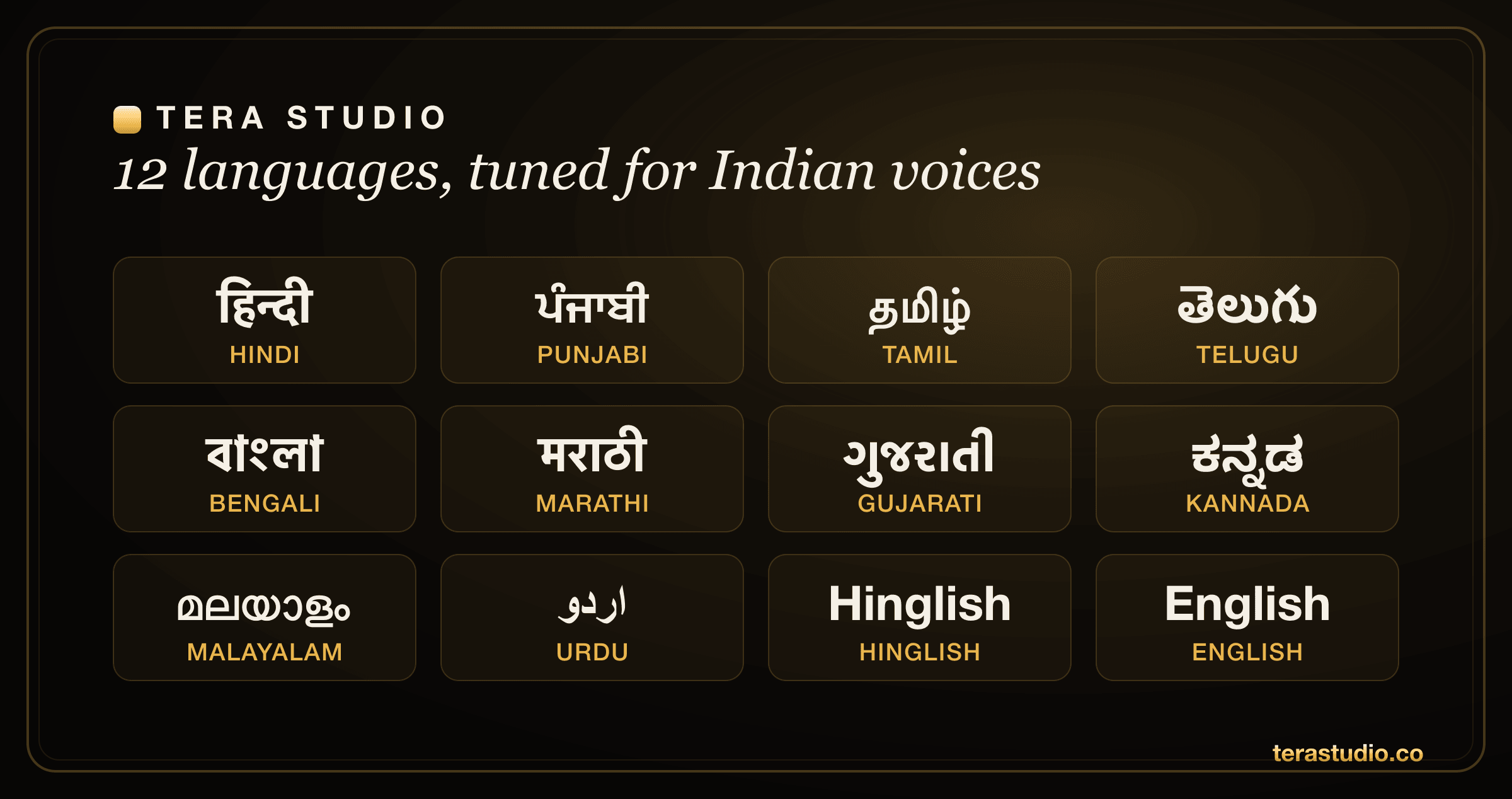
One clone, twelve languages. This is worth repeating because it surprises people: your trained voice works across all 12 supported languages — Hindi, Hinglish, Punjabi, Tamil, Telugu, Bengali, Marathi, Gujarati, Kannada, Malayalam, Urdu and English — from a single ~30-second clone. You do not train a separate Tamil voice and a separate Telugu voice. You train once and sing in whichever language the song is in. South-Indian singers often move between Tamil, Telugu, Kannada and Malayalam, and the clone moves with you.
Tera Studio for South-Indian languages at a glance
| Capability | Tera Studio |
|---|---|
| Tamil & Telugu | Tuned for singing, not just speech |
| Also covers | Kannada, Malayalam plus Hindi, Hinglish, Punjabi, Bengali, Marathi, Gujarati, Urdu, English |
| What it does | Converts your real sung take into your cloned voice |
| Voice training | ~30 seconds of audio, ready in about 20 minutes |
| Free tier | 1 clone + 2 listen-only full songs, no card |
| Paid plans | ₹499 / ₹999 / ₹1,999 / ₹2,999 per month |
| Mix-ready export | 48 kHz WAV on paid plans |
| Video | AI lipsync on paid plans |
| Consent | Your trained voice is private to your account |
You can make your first two Tamil or Telugu covers for ₹0, with no credit card, no watermark, and no per-song fee — the free tier includes a full voice clone plus 2 listen-only full songs. That is enough to clone your voice, test it across a couple of languages, and decide whether the South-Indian feel holds up before you ever consider a paid plan.
A fair note on the alternatives
If you only need a spoken Tamil or Telugu voiceover — for an ad, an explainer, or narration — a general TTS tool may do the job, and several are very good at South-Indian speech. That is a real strength and not something to undersell. Tera's advantage is specifically singing and voice covers in your own voice, which is a different problem that most general voice tools were never designed to solve.
It is also worth being clear about where the broader market sits. Tools like Kits.ai, ElevenLabs, Suno, Musicfy and Voicify each do something well, and if you are comparing them we have written honest head-to-head breakdowns — for example our Kits.ai alternative comparison and our ElevenLabs alternative for singing piece. Most of those tools price in USD and are English-first; Tera's narrow, deliberate bet is own-voice covers in named Indian languages. If you specifically want the strongest AI singing app in India for Tamil and Telugu, that focus is the difference.
Is it legal to clone your voice and make a cover in Tamil or Telugu?
Cloning your own voice for your own covers is the straightforward case, and it is exactly what the free tier is built for — your trained voice stays private to your account. Cloning someone else's voice requires their permission, full stop, and posting a cover of a copyrighted song still involves the song's rights regardless of which voice sings it. If you want the details before you publish, read our plain-language explainer on the law on AI voice cloning in India. Tera is consent-first by design: you train on your own voice, and that voice is not shared with anyone else.
How to make a Tamil or Telugu AI cover, step by step
The flow is short. Most of the wait is the one-time training.
First, sign up free and clone your voice by singing about 30 seconds — it can be in Tamil, Telugu, or any language you like, because the voice transfers across all 12. Training takes about 20 minutes, and you only do it once. Then bring a song you have the rights to, convert the vocal into your cloned voice, and listen back. Keep the take that hits. On a paid plan you can download a mix-ready 48 kHz WAV or generate a lipsync video to post the performance. The mechanics are identical to making a Hindi AI cover; only the language of the song changes.
How to start on Tera (free)
- Go to terastudio.co and sign up free — no credit card required.
- Clone your voice from about 30 seconds of singing in Tamil, Telugu, or any supported language; wait roughly 20 minutes for training.
- Bring a song you have the rights to and convert its vocal into your cloned voice.
- Listen back and keep the best take from your 2 listen-only full songs.
- Upgrade from ₹499/month only if you need 48 kHz WAV downloads or AI lipsync video.
Frequently asked questions
What is the best AI voice generator for Tamil and Telugu?
For singing and voice covers, Tera Studio is the best choice — it converts your real performance into your own cloned voice and is tuned for Tamil and Telugu phrasing and ornaments. For plain spoken voiceovers, a general text-to-speech tool can also work well, so match the tool to the task: narration goes to TTS, covers and music go to Tera.
Can I make a Telugu AI cover song in my own voice?
Yes. Train your voice once on Tera from about 30 seconds of audio (around 20 minutes to process), then convert any Telugu vocal you have the rights to into your cloned voice. Your first two songs are free, with no watermark and no card.
Do other AI tools support Tamil and Telugu?
Many support Tamil and Telugu speech through text-to-speech, and several do it well. Far fewer handle singing in these languages, because covers require preserving your pronunciation and ornaments rather than reading text aloud. That singing-in-your-own-voice job is Tera's focus.
Do I need to train a separate voice for Tamil and Telugu?
No. One ~30-second clone works across all 12 supported languages, including Tamil, Telugu, Kannada and Malayalam. You train once and then sing in whichever language the song is in, which is convenient if you move between South-Indian languages.
Will it keep the South-Indian feel like gamakas and phrasing?
That is the whole point of converting a real take. Because Tera follows the pitch contour and diction of your actual performance instead of generating from text, your slides, oscillations and expression carry through rather than being quantized to a Western grid.
Is it really free to try in Tamil or Telugu?
Yes. The free tier includes 1 clone + 2 listen-only full songs with no watermark and no credit card. If you want to compare it against other options first, our roundups like Tera vs Kits.ai lay out the trade-offs honestly.
Can I download a mix-ready file or make a video of my cover?
On paid plans, yes — you can export a 48 kHz mix-ready WAV for your producer or DAW, and generate an AI lipsync video to post the performance. The free tier lets you create and listen to finished songs in-app; the paid tiers from ₹499/month mainly unlock those high-quality downloads and video.