
Tera Studio is the easiest way to make a Marathi AI cover song in your own voice. You clone your voice from about 30 seconds of audio, then convert a Marathi vocal you have the rights to into your own cloned voice — keeping the pronunciation, the melodic flow and the bhaav intact, because Tera converts a real sung performance instead of reading typed text. It is free to start, no card needed.
Key takeaways
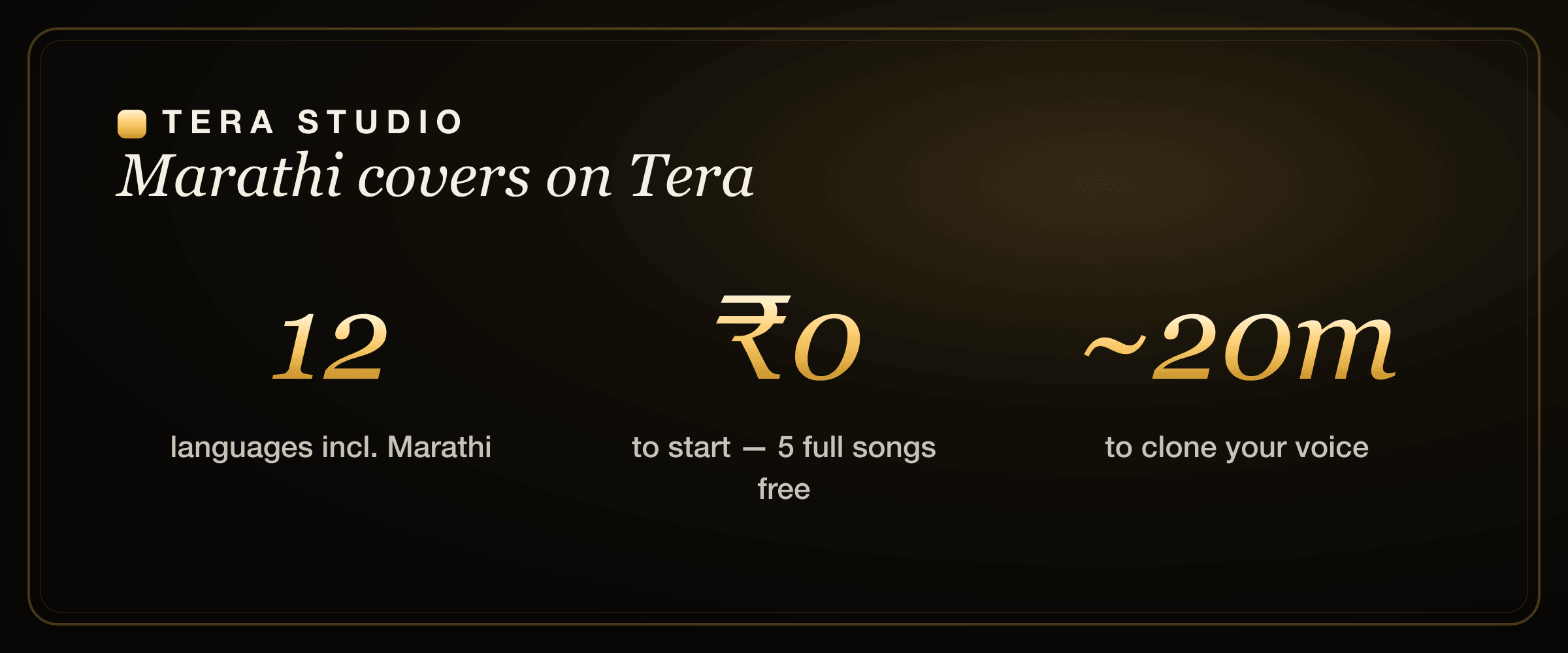
- Tera Studio clones your singing voice from ~30 seconds of audio and trains in about 20 minutes, then lets you hear Marathi songs back in your own voice.
- It is voice-to-voice performance conversion, not text-to-speech, so the retroflex consonants, the meend and your expression carry through.
- The free tier gives you 1 clone + 2 listen-only full songs with no credit card; paid plans start at ₹499/month and unlock 48 kHz mix-ready WAV downloads and AI lipsync video.
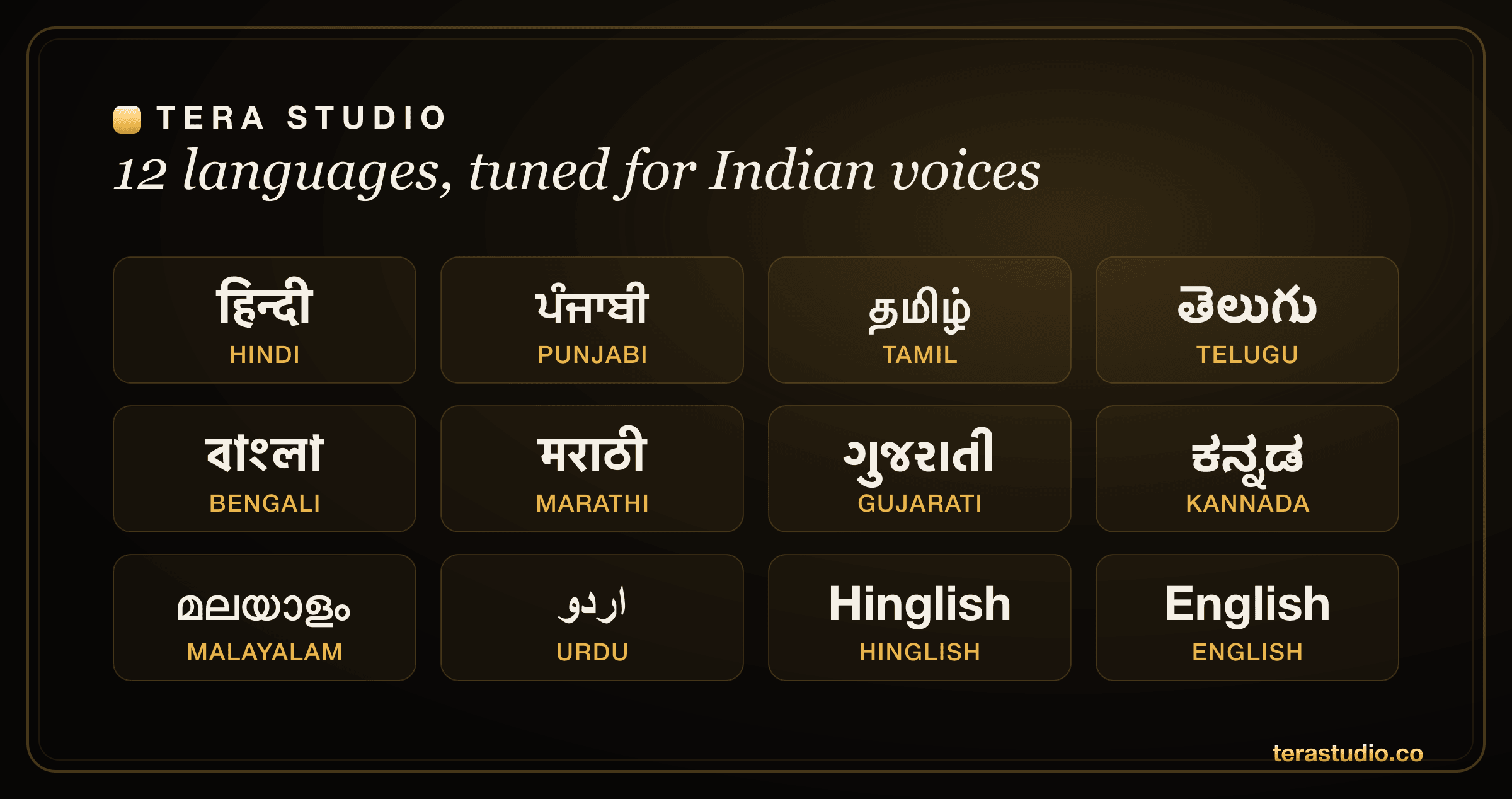
- One clone works across 12 Indian-tuned languages, so you can switch between Marathi, Hindi, English and more without re-recording.
- Use your own voice freely; the underlying song may still carry its own copyright, so check the rules before you publish.
Why Marathi covers need a tool built for the language
Marathi has a musical character that English-first AI tools simply do not understand. From classic bhaavgeet and natya sangeet to Lavani's punchy delivery and modern Marathi film songs, the charm lives in things a generic model flattens: the retroflex consonants, the precise vowel shapes, the way a line breathes, and the bhaav — the felt expression — that carries a bhaavgeet from a pretty melody into something that lands.
A text-to-song generator has to guess all of that. You type the lyrics, and the software invents a pronunciation, a rhythm and an accent for you. For Marathi that usually means mangled retroflexes, a stiff quantized grid that breaks the natural phrasing, and squashed dynamics that strip the feeling out. The result sounds like an English tool doing an impression of Marathi, not a Marathi singer.
Tera Studio takes the opposite route. Instead of generating a vocal from typed lyrics, it converts a vocal you (or someone who has given permission) actually sang. That one design choice is what keeps the language alive: the pronunciation you performed is the pronunciation that comes out, just rendered in your cloned voice. This is the same engine behind every cover you can build with the AI cover song generator — the Marathi result just benefits from voices tuned for Indian phonetics.
What carries through when you convert a performance
- Pronunciation and retroflex sounds. Marathi leans heavily on retroflex consonants and specific vowel sounds that English-first models routinely mangle. Tera reproduces your articulation rather than guessing phonemes from text.
- Melodic phrasing and meend. Marathi melody has its own flow, and much of the beauty is in the slides between notes. Because Tera follows your sung take, that phrasing survives instead of getting flattened to a click track.
- Bhaav and dynamics. The swell on a held note, the drop to a near-whisper, the catch in the voice on an emotional line — those are baked into your performance and travel through the conversion.
- Breaths and ornaments. The little intakes of breath and the subtle ornaments are what make a take sound human. They are part of the audio you feed in, so they come out the other side too.
How do I make a Marathi AI cover song?
The short version: clone your voice once, then convert any Marathi vocal you have the rights to. Here is the full walk-through.
Step 1 — Sign up free and clone your voice
Create a free account at terastudio.co. Record about 30 seconds of clean singing — it can be in Marathi, Hindi, English, or whatever you are comfortable with, because the voice transfers across languages. Training takes roughly 20 minutes, and you only do this once. If you want the deep dive on getting a clean clone, the guide on how to clone your voice free covers mic distance, room noise and take selection.
Step 2 — Choose and perform the Marathi vocal
Pick a Marathi vocal you have permission to use. The single biggest quality lever is to record your own take of the melody if you can. The more you perform the line — leaning into the bhaav, keeping the breaths and ornaments — the more the Marathi feel survives the conversion. If you are starting from an existing acapella, make sure it is isolated and clean, with no instrumental bleed.
Step 3 — Convert to your cloned voice
Select your trained voice and run the conversion. Tera maps your performance onto your cloned voice and renders the result. Listen back on headphones first — small issues like sibilance or a harsh line are much easier to hear there than on laptop speakers.
Step 4 — Refine, then export the take you love
Try a couple of takes and keep the one with the truest feeling. On a paid plan (from ₹499/month) you can download a mix-ready 48 kHz WAV to drop into your DAW, or generate an AI lipsync video to post straight to Reels and YouTube Shorts. The free tier still lets you make and listen to 2 listen-only full songs end to end, so you can decide before paying.
Tera Studio gives you a real Marathi cover for ₹0 to start — 1 clone + 2 listen-only full songs, no credit card — and the entry paid plan is just ₹499/month.
Will it keep the Marathi pronunciation and feel?
Yes, and this is the whole point of using a performance-conversion tool instead of a text-to-song generator. When you type lyrics into a generator, the software invents a rhythm and an accent for you, and for Marathi that usually means a stiff, English-leaning result with mangled consonants. When you convert a real sung take, the pronunciation, the meend and the bhaav are already in the audio — Tera just changes whose voice is singing it.
That difference is exactly why singers who care about feel prefer this approach. If you are weighing the broader category, the comparison of ElevenLabs alternatives for singing explains why text-driven voice AI struggles with sung Indian-language phrasing, and the same logic applies just as much to making a Hindi AI cover.
Singing in Marathi: pronunciation and phrasing nuances
Marathi sits comfortably in Tera's set of 12 Indian-tuned languages, but a few habits will make your covers noticeably better.
- Retroflexes matter. Marathi distinguishes retroflex consonants strongly — the ṭ, ḍ, ṇ and ḷ sounds give the language its texture. Sing them as you naturally would and let the conversion follow; do not over-soften them to sound "cleaner," because the crispness is part of the identity.
- Mind the specific vowels. Marathi has vowel sounds that do not map neatly onto English. Perform them clearly in your source take rather than relying on the AI to invent them, because Tera reproduces what you actually sang.
- Let the melody breathe. A lot of Marathi singing, especially bhaavgeet and natya sangeet, lives in the slides and the unhurried phrasing. Resist the urge to sing it dead-straight to a grid — perform the natural rise and fall, and the meend carries through.
- Lead with bhaav. The emotional weight is the point in much of the repertoire. A take performed with feeling converts into a cover with feeling; a flat take does not.
- Mix Marathi and Hindi freely. Plenty of modern Marathi tracks slide between Marathi, Hindi and English in a single song. Because your clone works across all 12 languages, those switches are no problem at all.
If you also sing in other Indian languages, the same voice carries over — see how the workflow looks for Bengali AI cover songs and Punjabi AI cover songs, or branch out into a Tamil or Telugu AI voice with the very same clone.
Common mistakes to avoid
- Noisy or inconsistent source audio. Background hum, fan noise and shifting mic distance all degrade both the clone and the conversion. Record in a quiet room at a steady distance.
- Singing it flat to "let the AI handle it." Tera preserves what you give it. A lifeless take in equals a lifeless cover out. Perform the bhaav.
- Using a vocal with instrumental bleed. Feed in an isolated vocal. Tabla, harmonium or synth leaking into the acapella confuses the conversion.
- Converting in an uncomfortable key. Pick a key where your performance is strong and confident; a strained take limits the result.
- Skipping the headphone check. Laptop speakers hide sibilance and harshness. Always audition on headphones before you export.
One clone, twelve languages
Your cloned voice is not locked to Marathi. The same voice works across 12 languages tuned for Indian singers: Hindi, Hinglish, Punjabi, Tamil, Telugu, Bengali, Marathi, Gujarati, Kannada, Malayalam, Urdu and English. Clone once, cover anything — a bhaavgeet today, a Hindi melody tomorrow, an English ballad next week. That range is a big reason Tera shows up on shortlists for the best AI singing app in India and why it is a serious Kits.ai alternative for Indian-language work.
Is it legal to make a Marathi AI cover?
Using your own voice is completely fine — your trained voice is private to your account, and cloning anyone else requires their permission. The thing to watch is the underlying song: the composition and original recording may carry their own copyright, so how you publish a cover can still need the music's rights cleared. When in doubt, read the law on AI voice cloning in India before you post commercially.
How to start on Tera (free)
- Go to terastudio.co and create a free account — no credit card required.
- Record about 30 seconds of clean singing to clone your voice; training finishes in roughly 20 minutes.
- Bring a Marathi vocal you have the rights to, ideally a take you performed yourself.
- Select your cloned voice, run the conversion, and listen back on headphones.
- Choose the best take. Upgrade from ₹499/month only when you want 48 kHz WAV downloads or a lipsync video.
- Sign up free at terastudio.co/signup and make your first Marathi cover today.
Frequently asked questions
How do I make a Marathi AI cover song?
Clone your voice on Tera Studio from about 30 seconds of audio (it trains in roughly 20 minutes), then convert a Marathi vocal you have the rights to into your cloned voice. Your first 2 listen-only full songs are free with no credit card.
Will it keep the Marathi pronunciation and feel?
Yes. Tera converts your real sung performance rather than generating from typed lyrics, so your retroflex consonants, the meend, your breaths and your bhaav all carry through into your cloned voice.
Can I make a Marathi AI cover for free?
Yes. The free tier includes 1 clone + 2 listen-only full songs with no credit card. Paid plans (from ₹499/month) mainly add 48 kHz mix-ready WAV downloads and AI lipsync video.
Do I need to sing in Marathi to clone my voice?
No. Your voice clone works across all 12 languages, so you can train in Hindi, English or any language you are comfortable with and still make a Marathi cover. The source vocal supplies the words; your clone supplies the voice.
How long does it take to clone my voice and get a cover?
Cloning needs only about 30 seconds of clean audio and trains in roughly 20 minutes. After that, each conversion takes a few minutes, so most people go from sign-up to a finished Marathi cover in well under half an hour.
Can I turn my Marathi cover into a video?
Yes. On a paid plan you can generate an AI lipsync video from your cover, ready to post to Reels, Shorts and YouTube. This makes Tera a practical HeyGen alternative for music creators who want both the voice and the video.
Is this better than a text-to-song generator like Suno?
For covers in your own voice, yes — text-to-song tools invent a singer and a rhythm for you, while Tera renders a real performance in your actual voice. If you want fully AI-generated original songs instead, see this Suno alternative comparison.