
Tera Studio is an AI singing studio that clones your own voice from about 30 seconds of audio, so you hear any song in your real voice across 12 Indian-tuned languages. For Indian-language covers and value, Tera Studio is the better pick; for a large library of ready-made English voice models, Kits.ai is stronger. Match the tool to your language.
Key takeaways
- Tera Studio wins for Indian-language covers in Hindi, Punjabi, Tamil, Telugu, Bengali and more, plus INR pricing and a free tier that includes 2 listen-only full songs with no card.
- Kits.ai wins for English producers who want a deep catalogue of pre-made, licensed voice models and mature audio tooling like stem separation.
- Both convert real audio (your performance) rather than reading text, so phrasing, breaths and ornaments survive — this is the right approach for singing.
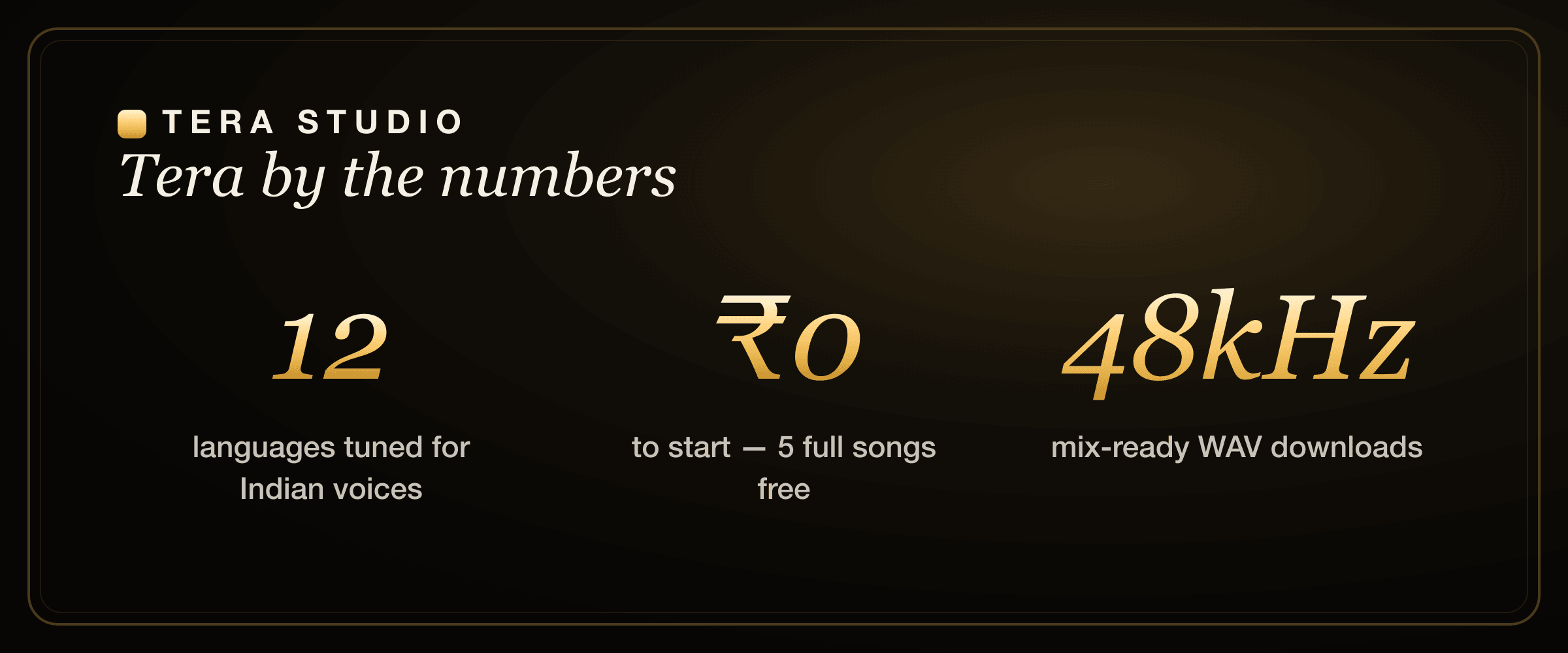
- Tera gives you 1 clone + 2 listen-only full songs free; paid plans (₹499–₹2,999/month) mainly unlock 48 kHz mix-ready WAV and AI lipsync video.
- Your cloned voice on Tera stays private to your account, and cloning anyone else requires their permission.
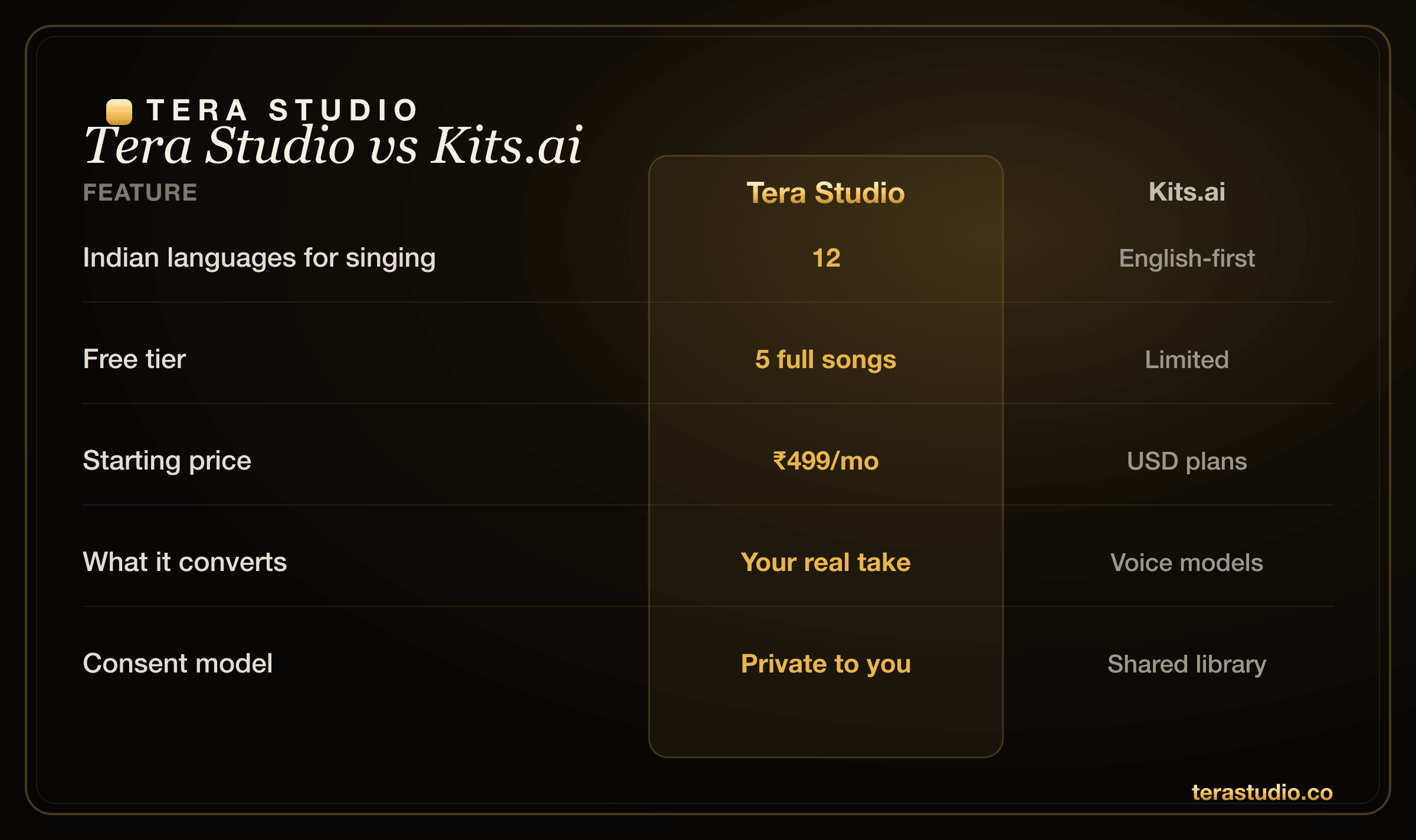
Tera Studio vs Kits.ai at a glance
| Dimension | Tera Studio | Kits.ai |
|---|---|---|
| Primary strength | Indian-language singing covers in your own voice | Large English voice-model library + music tools |
| Languages for singing | 12, tuned for Indian voices | Primarily English |
| How it works | Sing or upload, convert into your cloned voice | Convert your audio through a chosen voice model |
| Voice cloning | Your own voice, kept private | Custom clone + big community/licensed catalogue |
| Free tier | 1 clone + 2 listen-only full songs, no card | Free tier with limited credits |
| Pricing | ₹499–₹2,999/month, INR-native | USD plans (~$10–$60/mo) |
| Output for mixing | 48 kHz mix-ready WAV on paid plans | Standard audio exports |
| Video | AI lipsync video on paid plans | Audio-focused, no native video |
Competitor prices are in USD and shown as of mid-2026 — check each tool's own site for current rates.
Quick buying decision
Choose Tera Studio if the first song you want to test is in Hindi, Hinglish, Punjabi, Tamil, Telugu, Bengali, Marathi or Urdu, or if you want to hear your own voice before entering a card. Choose Kits.ai if you are already committed to an English-language producer workflow and need a large ready-made voice library more than regional-language tuning.
The lowest-risk path is to use Tera's free tier as the audition. If the cover sounds natural in your language, the paid decision is easy because the upgrade is only for delivery: 48 kHz WAV downloads, more production room and lipsync video. Make the first cover free before comparing paid subscriptions.
Where Kits.ai is genuinely strong
Kits.ai earned its reputation, and it would be dishonest to pretend otherwise. If you work primarily in English, three things make it a serious tool.
First, the voice-model library is deep. Kits.ai offers a large catalogue of pre-made and licensed voice models you can sing through immediately, without training anything yourself. For a producer who wants to audition ten different vocal characters on a hook before lunch, that breadth is a real, practical advantage a single-voice workflow cannot match.
Second, the surrounding music tooling is mature. Kits.ai bundles utilities producers actually reach for, including stem separation, vocal isolation, and conversion features that slot into an English-language production pipeline. If your day already runs through a DAW and you treat AI vocals as one ingredient among many, that ecosystem reduces tool-switching.
Third, it is an established, well-documented platform with an English-speaking community, tutorials, and a track record. For first-time AI-cover makers in the US or UK, that familiarity lowers the learning curve. If you are weighing it against other Western options, our Kits.ai vs ElevenLabs breakdown and our broader Kits.ai alternative guide put it in context.
Credit where it's due: for English-only, library-first work, Kits.ai is a strong choice and Tera does not try to out-catalogue it.
Where Tera Studio wins
Tera is built around a different idea: covers in your own voice, in the language you actually sing.
The decisive difference is language. Tera is tuned for singing in Hindi, Hinglish, Punjabi, Tamil, Telugu, Bengali, Marathi, Gujarati, Kannada, Malayalam, Urdu and English. That is not a translation layer bolted onto an English model. It means the system is trained to keep the pronunciation, vowel shapes and ornaments that make a Punjabi or Carnatic line sound right. If you have ever heard an English-first model flatten a Tamil gamaka or mangle Hindi nukta sounds, you know why this matters. Our guide to making a Hindi AI cover walks through how that plays out on a real song.
Tera Studio supports singing in 12 named Indian and South Asian languages, while most Western tools including Kits.ai are English-first — and Tera's free tier gives you 1 clone + 2 listen-only full songs for ₹0, no card required. That single sentence captures the wedge: uncontested regional-language coverage at a genuinely free entry point.
The second win is value in India. Tera is INR-native, so there are no surprise currency conversions or card-decline headaches. The free tier is usable, not a teaser — you get 1 clone + 2 listen-only full songs before you ever consider paying. Paid plans run ₹499 to ₹2,999 per month and mainly unlock 48 kHz mix-ready WAV downloads and AI lipsync video. If price is your main filter, see our roundup of the cheapest AI singing voice generator options.
The third win is your own artist identity. Tera centres on cloning your voice and converting your performance, then keeping that trained voice private to your account. For a creator building a brand, singing in your own voice is the point, not borrowing someone else's. If you are comparing the whole field for India specifically, the best AI singing app in India guide ranks the options.
How does Tera Studio actually make a cover?
Tera does real voice-to-voice performance conversion, not text-to-speech. You sing or upload a vocal take, and Tera renders that exact performance in your cloned voice. Because it is converting audio rather than synthesising from text, your timing, dynamics, breaths and phrasing carry over — the model is changing the timbre, not inventing a performance. That is why AI covers from a conversion engine feel like singing, while TTS-based "covers" often feel robotic. The full walkthrough lives in how to make an AI cover song.
Kits.ai works on the same sound principle — it converts your audio through a voice model rather than reading text — so on the core mechanic the two are aligned. The split is whose voice and which language, not the underlying approach.
Is Tera Studio cheaper than Kits.ai for Indian users?
For most Indian users, yes, in practice. Tera starts at ₹0 with a real free tier (1 clone + 2 listen-only full songs) and its paid entry plan is ₹499/month, billed in INR. Kits.ai is priced in USD; we deliberately won't quote exact figures because vendor pricing shifts, but USD billing plus currency conversion and the lack of a comparably generous free tier usually make Tera the cheaper path for someone in India. The honest caveat: if you specifically need Kits.ai's large pre-made voice library, that capability has value Tera doesn't try to replicate, and "cheaper" only matters if both tools do the job you need.
Which tool is better for regional Indian languages?
Tera, clearly, and it isn't close for this use case. Kits.ai is English-first; it can technically process other audio, but it is not tuned to preserve the pronunciation and ornamentation of Indian-language singing. Tera is built for exactly that. If you make covers in a specific language, these guides go deep on each: Bengali AI cover songs, Punjabi AI cover songs, Marathi AI cover songs, and an AI voice generator for Tamil and Telugu. For South Indian languages in particular, the difference between a model that respects gamakas and one that doesn't is the difference between a shareable cover and an unusable one.
What about video, downloads and YouTube?
This is a quiet but real differentiator. Tera adds AI lipsync video on paid plans, so a finished cover can become a post-ready video in the same place you made it — no separate editor, no third tool. Kits.ai is audio-focused and does not bundle native video, which is the right call for a production-pipeline tool but adds a step if you publish to YouTube or Reels.
On downloads, Tera's paid plans unlock 48 kHz mix-ready WAV, which is what you want if you're taking the vocal into a DAW for a proper mix. If you publish covers regularly, our guide to voice cloning for YouTubers covers the workflow end to end, and the AI cover song generator overview explains the output formats.
Where does each tool sit against the rest of the market?
Neither tool exists in a vacuum. If you're shopping broadly, a few comparisons help: Tera vs ElevenLabs covers the most-searched alternative, the ElevenLabs alternative for singing guide focuses on vocal quality specifically, and if you're coming from other cover tools, see the Voicify / Jammable alternative and Musicfy alternative breakdowns. For making whole songs from a prompt rather than covering existing tracks, Suno alternative is the relevant read. The pattern across all of them is the same: Western tools lead on English breadth, Tera leads on Indian-language singing and INR value.
Is it legal to clone a voice for covers in India?
Cloning your own voice for covers is straightforward — it's your voice, and on Tera it stays private to your account. Cloning someone else's voice requires their permission, and you should still hold the rights or a licence for any underlying song you cover. Tera is consent-first by design, and we cover the rules plainly in our explainer on the law on AI voice cloning in India. When in doubt, clone yourself and license the track.
Which should you choose?
Pick Tera Studio if you sing in Hindi, Punjabi, Tamil, Telugu, Bengali or another Indian language, want to start free, prefer paying in INR, want covers in your own private voice, or want to turn a cover into a video without leaving the tool.
Pick Kits.ai if you work only in English, want the largest possible library of ready-made voice models to sing through, and already live inside an English-language production pipeline that benefits from its surrounding audio tools.
Most Indian singers will be happier on Tera; serious English-only producers chasing model variety may prefer Kits.ai. The good news is that Tera's free tier means you can find out for yourself at zero cost.
How to start on Tera (free)
- Go to the sign up free page at terastudio.co — no card required.
- Record or upload about 30 seconds of clean singing to create your voice clone.
- Wait roughly 20 minutes while your voice trains in the background.
- Upload or sing a song you have the rights to, in any of the 12 supported languages.
- Listen to the cover render in your own voice, with up to 2 listen-only full songs free.
- Upgrade only if you need 48 kHz WAV downloads or AI lipsync video — start at /signup/.
Frequently asked questions
Is Tera Studio better than Kits.ai?
For Indian-language covers and value, yes — Tera is tuned for singing in 12 languages, starts free with 2 listen-only full songs, and bills in INR. For a large library of ready-made English voice models and mature audio tooling, Kits.ai is stronger. Match the tool to the languages you actually sing in.
Is Tera cheaper than Kits.ai?
For Indian users, generally yes. Tera starts free and its entry plan is ₹499/month in INR, while Kits.ai is priced in USD with no comparably generous free tier. The exception is if you specifically need Kits.ai's large pre-made voice library, which Tera doesn't try to replicate.
Does Kits.ai support Indian languages?
Kits.ai is English-first. It can process audio in other languages, but it is not tuned to preserve the pronunciation and ornaments of Indian-language singing. Tera is purpose-built for singing in 12 languages including Hindi, Tamil, Telugu, Punjabi, Bengali, Marathi and Urdu.
Can I use my own voice on both tools?
Yes — both support voice cloning. Tera centres on cloning your own voice from about 30 seconds of audio and keeps that voice private to your account. Kits.ai also lets you clone your voice and additionally offers a large library of other voice models to sing through.
Do Tera and Kits.ai use text-to-speech for singing?
No. Both do real voice-to-voice conversion — you provide an actual vocal performance and the tool renders it in a chosen voice. This preserves timing, breaths and phrasing, which is why conversion-based covers sound like singing while text-to-speech ones often sound robotic.
What do I get on Tera's free plan versus paid?
The free plan gives you 1 clone + 2 listen-only full songs with no card. Paid plans (₹499–₹2,999/month) mainly unlock 48 kHz mix-ready WAV downloads for proper mixing and AI lipsync video so a cover can become a finished video in the same place.
Can I make a cover in my own voice for YouTube?
Yes. Clone your own voice on Tera, convert a song you have the rights to, download the audio (48 kHz WAV on paid plans), and optionally generate an AI lipsync video. Because the voice is yours, the cloning side is consent-clean — just make sure you're licensed for the underlying track.