
Tera Studio is the easiest way to make an AI cover song in Hindi, because it clones your own singing voice from about 30 seconds of audio and then sings any Hindi song back in that voice — real voice-to-voice conversion, not text-to-speech. Train once in roughly 20 minutes, then convert any vocal you have rights to. Free to start.
Key takeaways
- A Hindi AI cover on Tera Studio is your own cloned voice singing a song — phrasing, breath and ornaments survive because the model is built for singing, not speech.
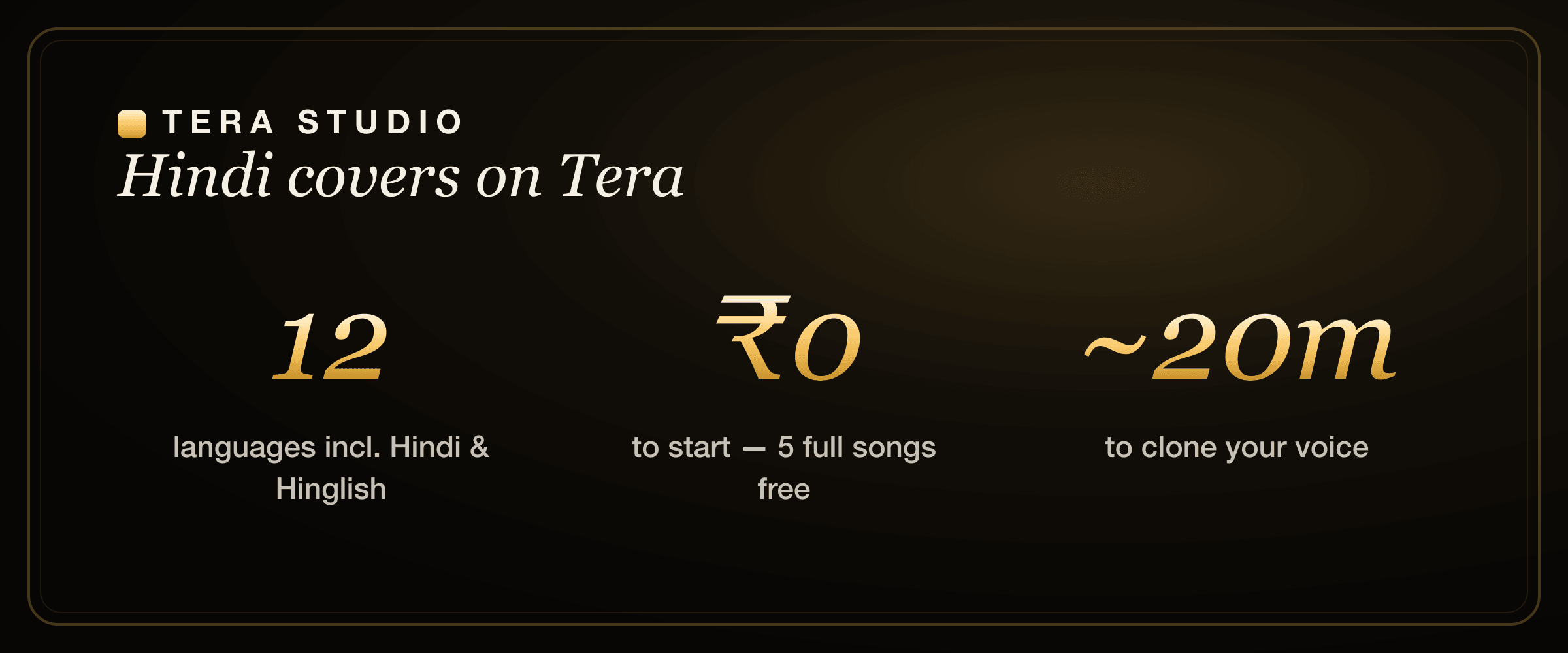
- You can start free: 1 clone + 2 listen-only full songs in your voice, no card required, with paid plans from ₹499/month.
- Cloning takes about 30 seconds of input and roughly 20 minutes to train; paid plans add 48 kHz mix-ready WAV downloads and AI lipsync video.
- Tera is tuned for 12 languages spoken in India, so Hindi pronunciation, taan and gamak land naturally instead of sounding flattened.
- Only clone voices you own or have written permission to use — your trained voice stays private to your account.
What is a Hindi AI cover song, really?
A Hindi AI cover is a song where a real sung performance is converted into a different singer's voice while keeping the same melody, lyrics and timing. The melody you hear is still the original performance — the pitch, the timing, the slides between notes. What changes is the timbre: the unique character that makes your voice sound like yours.
This is the part most people get wrong when they first try AI music tools. They expect to type Hindi lyrics and have a machine "sing" them. That is text-to-speech wearing a melody, and it always sounds stiff because there is no real performance underneath. Tera Studio works the opposite way. You give it a genuine vocal take, and it re-voices that take in your cloned voice. The human feel stays in; only the identity of the singer changes. If you want the deeper mechanics across any language, our guide on how to make an AI cover song walks through the same pipeline end to end.
Why does this matter specifically for Hindi? Because Hindi singing carries a lot of expression in places English does not. The breath before a line, the meend (the smooth glide between notes), the slight ornamental flicks on a sustained vowel — those are the things that make a Hindi vocal feel alive. A speech-first engine throws most of that away. A singing-first engine keeps it.
What you'll need before you start
- A phone or laptop with a mic. Thirty seconds of your singing is enough to begin, though more audio gives a richer clone.
- A Hindi vocal you have the rights to use. That can be your own take of a song, an original you wrote, or a recording you are licensed to convert.
- A free Tera Studio account. No credit card to sign up.
You do not need a studio, an audio interface, or any music software. A quiet room and a steady phone are plenty for your first cover.
Fastest path to your first Hindi cover
The fastest path is not to compare every AI singing tool first. Record a clean 30-second sample, train your Tera voice, then spend one free song on a Hindi hook you know well. If the vowels, ornaments and breath feel like you, you have your answer; if they do not, you learned that before paying.
This is why the free tier matters for Hindi creators. Hindi covers succeed or fail on small details — the meend, the long vowel, the aspirated consonant, the way a line leans into the beat. A pricing table cannot prove those details, but your own first render can. Start free, test one song, and only upgrade when the cover is good enough to download or turn into a lipsync video.
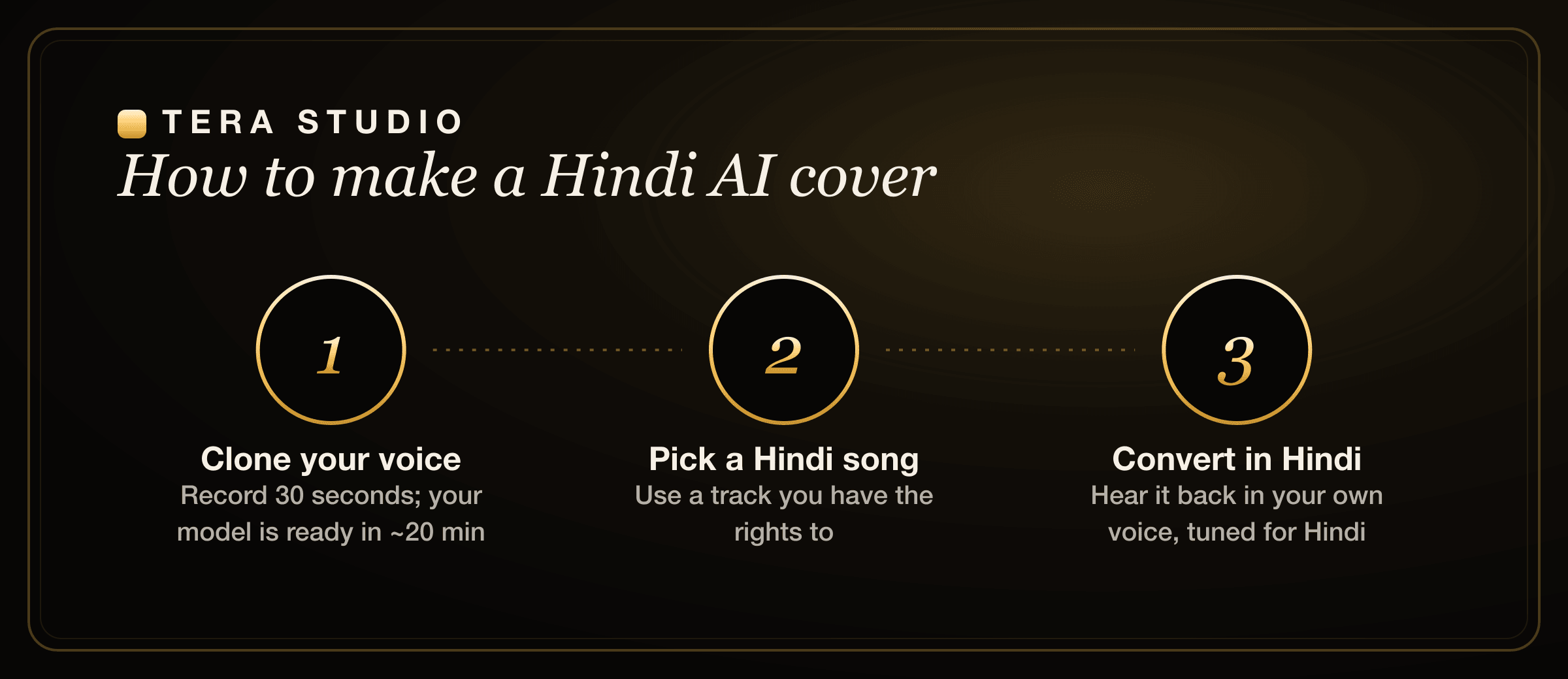
Step 1 — Train your voice (about 20 minutes)
Sing roughly 30 seconds into your phone, or upload up to two hours for a higher-fidelity voice. Tera learns how you sound, not how perfectly you hit notes, so a relaxed, natural take works better than a tense, over-careful one. Your first voice is usually ready in about 20 minutes while you watch the progress bar.
A few things make a real difference here. Record somewhere quiet with no fan or TV in the background. Hold the phone a consistent distance from your mouth so the volume stays even. Sing the way you actually sing — chest voice, head voice, your natural ornaments — because that is exactly what the model is learning. Clean, honest input gives you a clearer, more flexible clone. If you want a deeper walkthrough of just the cloning step, see how to clone your voice free.
Step 2 — Give Tera a Hindi song
Drop in the vocal you want to convert and pick your trained voice. Because Tera is built for singing in Hindi rather than text-to-speech, it preserves the things that make a Hindi vocal feel right: the taan runs, the gamak oscillations, the breath before a phrase, the way you slide into a note. The original performer's musical choices stay intact; your voice replaces theirs.
For the cleanest result, feed it an isolated vocal where you can. A dry lead vocal converts more faithfully than a vocal buried under a full mix, because the model can hear every detail it is supposed to re-voice. If you only have a full track, that can still work, but a separated vocal is the gold standard.
Step 3 — Tune it, or trust the defaults
You can use the producer controls to taste, or trust the defaults we tuned by ear over many hours of Indian-language listening tests. For Hindi covers the goal is usually to keep your natural expression intact rather than over-correct it. Push the conversion too hard and you sand off the very ornaments that make the cover feel Hindi; leave it natural and the character stays.
If you are chasing a polished, release-ready sound, lean on the defaults first and only nudge controls when something specific bothers you. Most people over-tweak on their first try and end up further from the result they wanted.
Step 4 — Choose the best take and download when ready
Listen, compare takes, and keep the one that hits. Free songs play back in your account so you can audition the result and decide what is worth finishing. On a paid plan you download a mix-ready 48 kHz WAV that drops straight into your edit, ready to post as a Reel, a Short, or a full YouTube upload. Paid plans also unlock AI lipsync video if you want a face singing along on screen.
How do I make my Hindi AI cover sound professional?
This is the question most creators actually type, so here is the honest answer: most of the quality comes from your input, not from twiddling settings afterward.
Start with the source vocal. A confident, in-tune take with clear diction converts into a confident, clear cover. A mumbled or pitchy take converts into a mumbled, pitchy cover in your voice — the model is faithful, which cuts both ways. Sing the Hindi lyrics with proper enunciation, especially the consonant clusters and the long vowels that carry the melody.
Mind your range. Pick a song that sits comfortably in your voice, or use your clone to carry a melody you love but cannot quite belt live. Record the source somewhere acoustically dead so there is no room echo baked in. And when you finally export, take the 48 kHz WAV into your editor and treat it like any vocal — a touch of compression and EQ goes a long way. If you are weighing tools before you commit, our roundup of the best AI singing app in India compares the realistic options side by side.
Common mistakes to avoid
- Treating it like text-to-speech. Do not expect to type Hindi lyrics and get a sung result. Give Tera a real vocal performance to convert. The performance is what makes it sound human.
- Training on noisy audio. Background hum, a noisy room, or wildly uneven distance from the mic all blur the clone. Thirty clean seconds beat five messy minutes.
- Over-tuning the conversion. Cranking every control flattens your ornaments and makes Hindi covers sound generic. Trust the defaults first.
- Using a full mix when a dry vocal exists. A separated lead vocal converts far more faithfully than one buried under instruments.
- Ignoring rights. Only convert songs you are licensed to use, and only clone a voice you own or have written permission for. More on that just below.
Singing in Hindi: pronunciation and phrasing nuances
Hindi sits beautifully in a cloned voice when the source performance respects the language. A few honest observations from working with Hindi vocals:
The long vowels do the heavy lifting. In Hindi singing, sustained notes usually land on open vowels, and that is where your timbre shines through most. If those vowels are clear in the source, your clone will sound rich and present on every held note.
Consonant clusters need crisp articulation. Hindi has consonant combinations that, if rushed, turn to mush after conversion. Enunciate them in the source take and the cover stays intelligible. Aspirated consonants in particular benefit from a clean, deliberate source.
Ornaments are a feature, not a bug. Meend, murki and light gamak are exactly the kind of expressive detail a singing-first model is designed to preserve. Lean into them in the source vocal rather than singing flat to "help the AI" — you will only rob the cover of its character.
Hinglish is fully supported too, which matters because so much modern Hindi pop mixes English phrases into Hindi lines. You do not have to choose one or the other. And if you create in more than one language, the same workflow carries straight over to Punjabi AI cover songs, Bengali AI cover songs, and Marathi AI cover songs.
Why Tera for Hindi vs generic AI voice tools
Tera Studio is tuned for 12 languages spoken across India — Hindi, Hinglish, Punjabi, Tamil, Telugu, Bengali, Marathi, Gujarati, Kannada, Malayalam, Urdu and English — all for singing rather than speech. Most popular AI voice tools are English-first and built for narration, so even when they technically "support" Hindi they tend to flatten its phrasing into something that sounds read, not sung.
To be fair to those tools, several of them are excellent at what they are designed for. Western voice platforms produce remarkably natural English speech and have polished editors. But that is a different job from re-voicing a Hindi song in your own voice. If you are coming from one of them, you may find these comparisons useful: Tera vs ElevenLabs looks at a speech-first incumbent against a singing-first tool, and our ElevenLabs alternative for singing write-up covers why a music-tuned model behaves so differently on a melody. If you have been using cover-focused tools, Tera vs Kits.ai and the broader Suno alternative breakdown are the most relevant.
The short version: generic tools give you a competent voice. Tera gives you your voice, singing a Hindi song, with the ornaments intact and the pronunciation tuned for the language. That is the difference between a clip that sounds artificial and a cover people actually believe you recorded.
Is it legal to make a Hindi AI cover of a song?
Two separate rights questions live inside every AI cover, and it helps to keep them apart. First, the song: covering a copyrighted Hindi track for public release generally needs a licence, exactly as a traditional human cover would. Second, the voice: cloning anyone's voice requires their consent, which is why Tera locks your trained voice to your account and never lets another user clone you without permission. For a fuller picture, read the law on AI voice cloning in India before you publish a cover commercially. When in doubt, cover originals, public-domain works, or material you are licensed to use, and only clone voices you own.
How to start on Tera (free)
- Go to terastudio.co and sign up free — no credit card needed.
- Record about 30 seconds of your singing, or upload a longer take for a richer clone.
- Wait roughly 20 minutes while your voice trains, then watch it appear in your library.
- Drop in a Hindi vocal you have the rights to, pick your trained voice, and convert.
- Audition your takes, keep the best one, and upgrade from ₹499/month when you want the 48 kHz WAV download and lipsync video.
You get 1 free voice clone and 2 listen-only full songs with zero cost and no card, which is more than enough to hear your own Hindi cover before deciding to pay for anything.
Frequently asked questions
Can I make a Hindi AI cover for free?
Yes. Tera Studio's free tier includes 1 clone + 2 listen-only full songs in your voice, with no credit card required. You only pay, from ₹499/month, when you want mix-ready 48 kHz WAV downloads or AI lipsync video for your finished covers.
Do I need to be a good Hindi singer to get a good result?
Your clone learns your timbre, not your accuracy, so you do not need a trained voice to start. That said, the source vocal you convert does matter — a confident, in-tune, well-enunciated take produces a confident, clear cover. Feed it a strong performance (yours, or one you are licensed to use) and the result sounds like you sang it that well.
Is this just text-to-speech in Hindi?
No, and this is the key difference. Tera converts a real Hindi singing performance into your trained voice, keeping the same melody, words and feel. Text-to-speech generates a robotic read from typed text; Tera re-voices an actual sung take, which is why the ornaments and breath survive.
Which other Indian languages does Tera support?
Twelve in total, all tuned for singing: Hindi, Hinglish, Punjabi, Tamil, Telugu, Bengali, Marathi, Gujarati, Kannada, Malayalam, Urdu and English. If you sing in South Indian languages, our guide to the AI voice generator for Tamil and Telugu covers those specifically.
Can someone clone my voice without my permission?
No. Your trained voice is locked to your account, and cloning any voice on Tera requires the owner's consent. Tera is consent-first by design, which protects both you and anyone whose voice you might want to work with.
How long does the whole process take from sign-up to finished cover?
Training your first voice takes about 20 minutes from roughly 30 seconds of audio. After that, converting a Hindi vocal into a cover is quick, so realistically you can go from a fresh account to your first finished Hindi AI cover within half an hour. Once your voice is trained, every future cover skips straight to the convert step.
Can I use my Hindi AI cover on YouTube or Instagram?
You can post covers you have the rights to. The voice side is covered because you are using your own cloned voice, but the song itself may still need a licence if it is copyrighted. Creators who publish regularly should read our notes on voice cloning for YouTubers to stay on the safe side of platform and rights rules.