
Tera Studio is the best free AI voice changer online for singing and covers: it runs in your browser with nothing to install, converts a recording or upload into a cloned target voice while keeping your performance intact, and is free to start with 2 listen-only full songs. It is tuned for covers across 12 languages, unlike most generic changers.
Key takeaways
- An AI voice changer for music swaps your vocal timbre for a target voice — it is not the same as a pitch-shift toy or a robot filter.
- The free online tools split into two camps: real-time mic effects (good for gaming and calls) and high-quality voice conversion (good for singing, covers and content).
- For singing, Tera Studio clones your own voice from about 30 seconds of audio and lets you hear any song back in your voice across 12 languages tuned for Indian singers.
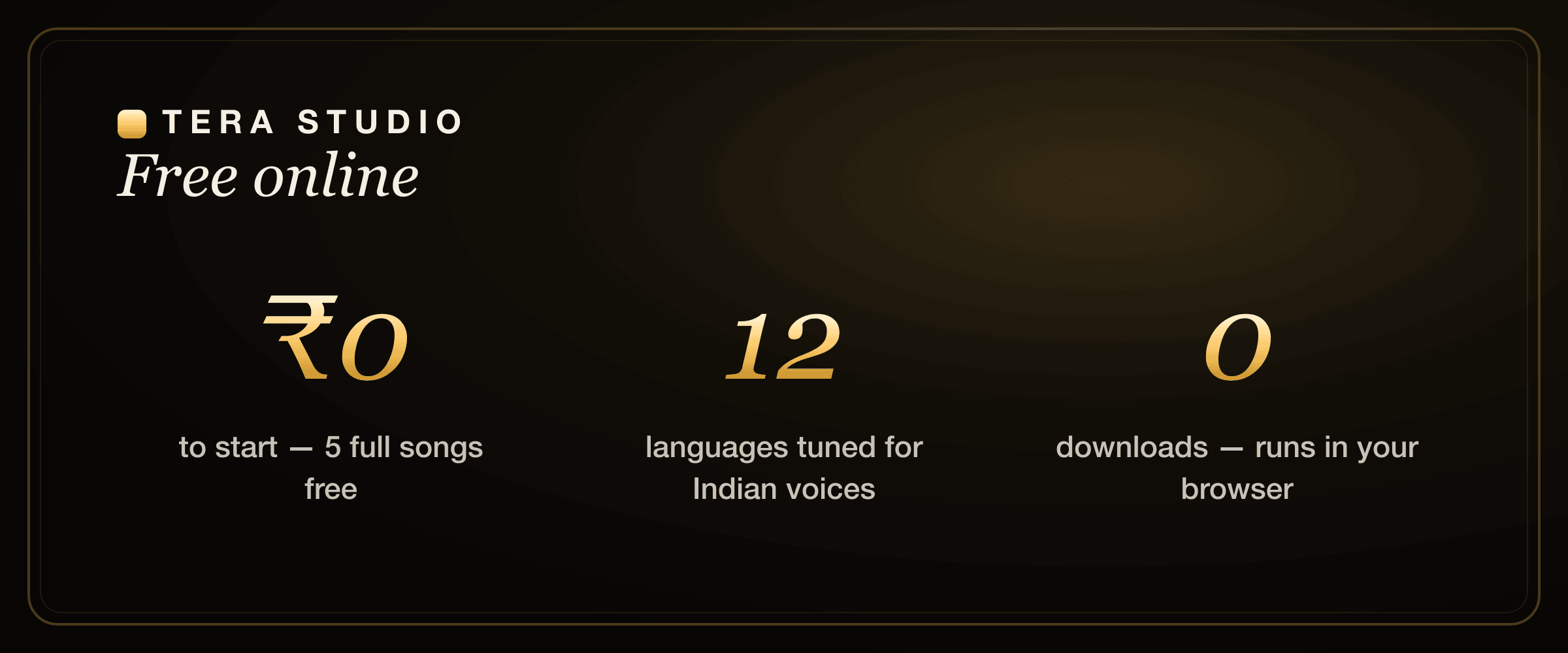
- Tera's free tier costs ₹0, needs no card, and gives you 1 clone + 2 listen-only full songs you can listen to in-app — not expiring credits or watermarked previews.
- Paid plans (from ₹499/month) mainly add 48 kHz mix-ready WAV downloads and AI lipsync video; the core changer is free.
Free online AI voice changers compared (2026)
Most "voice changer" pages lump everything together. They shouldn't. A live mic filter for Discord and a model that re-sings your vocal are different products with different jobs. Here is an honest look at the main free options, with competitor pricing kept general because plans change often.
Tera Studio vs other free AI voice changers at a glance
| Tool | Best for | Real voice conversion | Free tier | Indian-language singing | Where it runs |
|---|---|---|---|---|---|
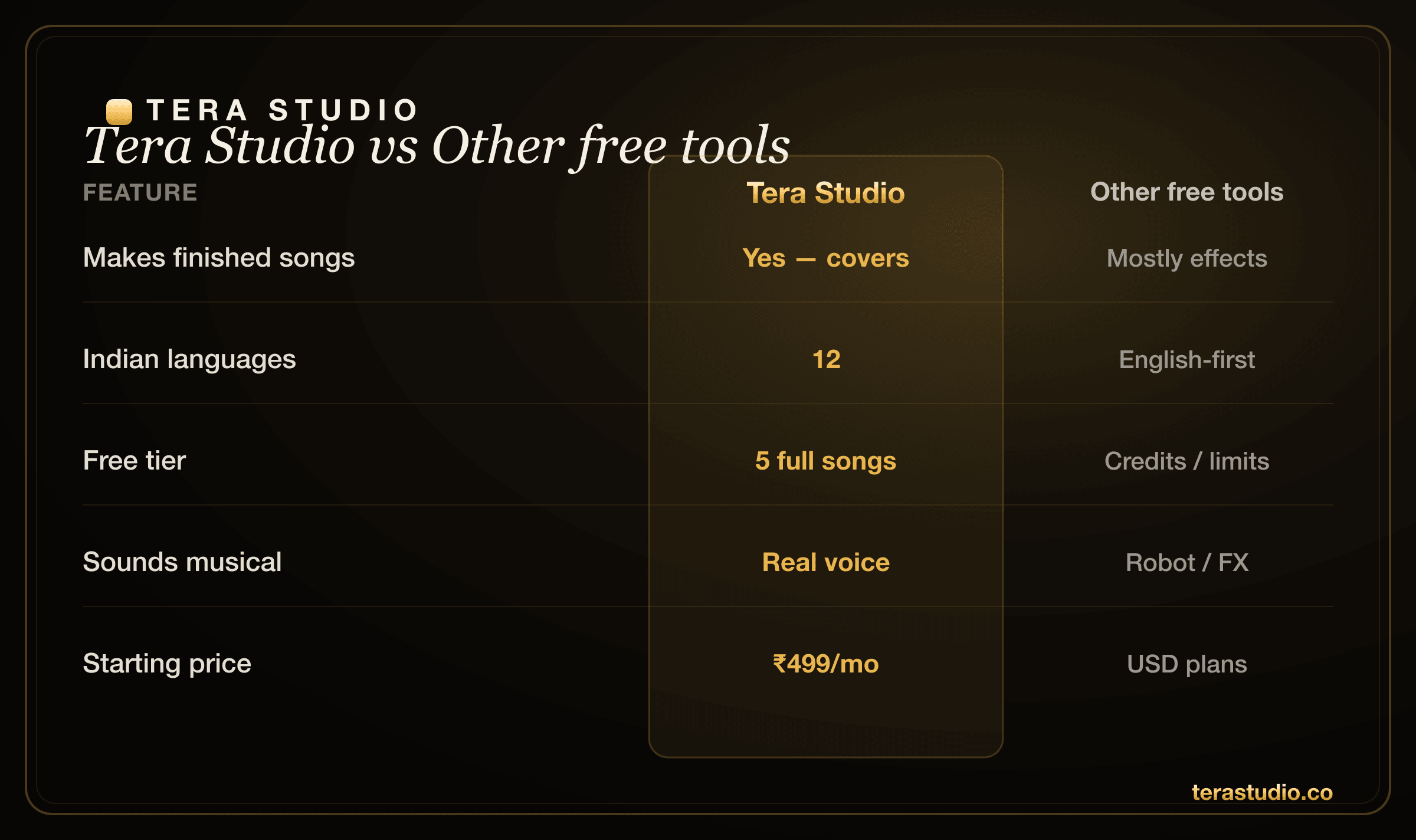
| Tera Studio | Singing & covers in your own voice | Yes (clone-to-voice) | ₹0 — 2 listen-only full songs, no card | 12 languages tuned for Indian voices | Browser, no install |
| Voicemod | Live gaming / call effects | No (real-time filters) | Yes, with paid voice packs | Not music-focused | Desktop app |
| Kits.ai | Studio voice models & covers | Yes | Limited free, then USD plans | English-first | Browser |
| ElevenLabs | TTS & voice design | Partial (speech-led) | Small free credits | English-first | Browser |
| Voicify / Jammable | Artist-style covers | Yes | Free with credits, USD upgrades | English-first | Browser |
| Musicfy | Quick AI covers | Yes | Free with credits, USD plans | English-first | Browser |
| MyEdit / Media.io | One-off web effects | Mostly effects | Free with limits | Not music-focused | Browser |
If you only want a robot voice for a stream, a real-time tool is the right pick. If you want a finished song that sounds like a real, musical voice, you want conversion — and that is what the rest of this guide is about.
Where the other tools are genuinely strong
Credit where it is due. Voicemod is excellent at what it is built for: low-latency, real-time mic effects for gaming and voice chat, with a big library of fun presets. No conversion engine touches that live-on-your-mic experience.
ElevenLabs is a leader in text-to-speech and voice design — if you need a synthetic narration voice from typed text, its quality and language coverage are hard to beat. We go deeper on the singing-specific gaps in our ElevenLabs alternative for singing breakdown and the head-to-head Tera vs ElevenLabs.
Kits.ai ships polished studio tooling and stem separation aimed at producers, and Voicify (Jammable) and Musicfy have large catalogues of ready-made artist-style models for instant covers. They are capable products. Where they get expensive or awkward for Indian creators is USD billing and English-first tuning — compared honestly in our Kits.ai alternative and Voicify / Jammable alternative guides, plus the neutral Kits.ai vs ElevenLabs comparison.
Where Tera Studio wins
Tera is narrow on purpose: own-voice singing and covers, India-first.
- It is musical, not a filter. Built for singing, so it preserves your vibrato, dynamics and phrasing instead of stamping a pitch effect on top.
- It is genuinely your voice. You clone yourself once, then every cover sounds like you — building a recognisable artist identity, not a generic preset.
- 12 languages, tuned for Indian voices. Hindi, Hinglish, Punjabi, Tamil, Telugu, Bengali, Marathi, Gujarati, Kannada, Malayalam, Urdu and English, without mangling pronunciation or ornaments.
- Rupee pricing and a real free tier. ₹0 to start with 2 listen-only full songs, then ₹499–₹2,999/month — no forex friction, no US card.
- Nothing to install. It is a web app; open it on your phone or laptop and go.
What does an AI voice changer actually do?
"Voice changer" covers two very different things, and mixing them up is why people end up disappointed.
The first kind is an effect changer: pitch up or down, robot, chipmunk, echo, reverb. It is fun and instant, but it is still obviously your voice with a costume on. Great for streams, prank calls and character voices.
The second kind is AI voice conversion: a trained model replaces your vocal timbre with a target voice, so the output genuinely sounds like a different (or your cloned) singer. Your phrasing, timing and emotion survive; the voice itself changes. This is the technology behind a believable cover, and it is what Tera does. You record or upload a take, pick the target voice, and the model re-performs it in that voice.
Is there a truly free AI voice changer online for singing?
Yes — with one honest caveat. Plenty of tools advertise "free," but in practice you hit expiring credits, watermarks, hard length caps, or a paywall the moment you try to hear a full song. The free tier that actually lets you finish full songs and listen in-app is rarer than the marketing suggests.
On Tera Studio, the free tier is ₹0 with no card: 1 clone + 2 listen-only full songs in-app — the paywall only appears when you want 48 kHz mix-ready WAV files or AI lipsync video. That ordering matters: you prove the result on a real song before you ever consider paying. If price is your main filter, the full landscape is ranked in our cheapest AI singing voice generator guide and the broader best AI singing app in India roundup.
How to change your voice online for free (step by step)
The flow is short. Clone once, then convert as many songs as your plan allows.
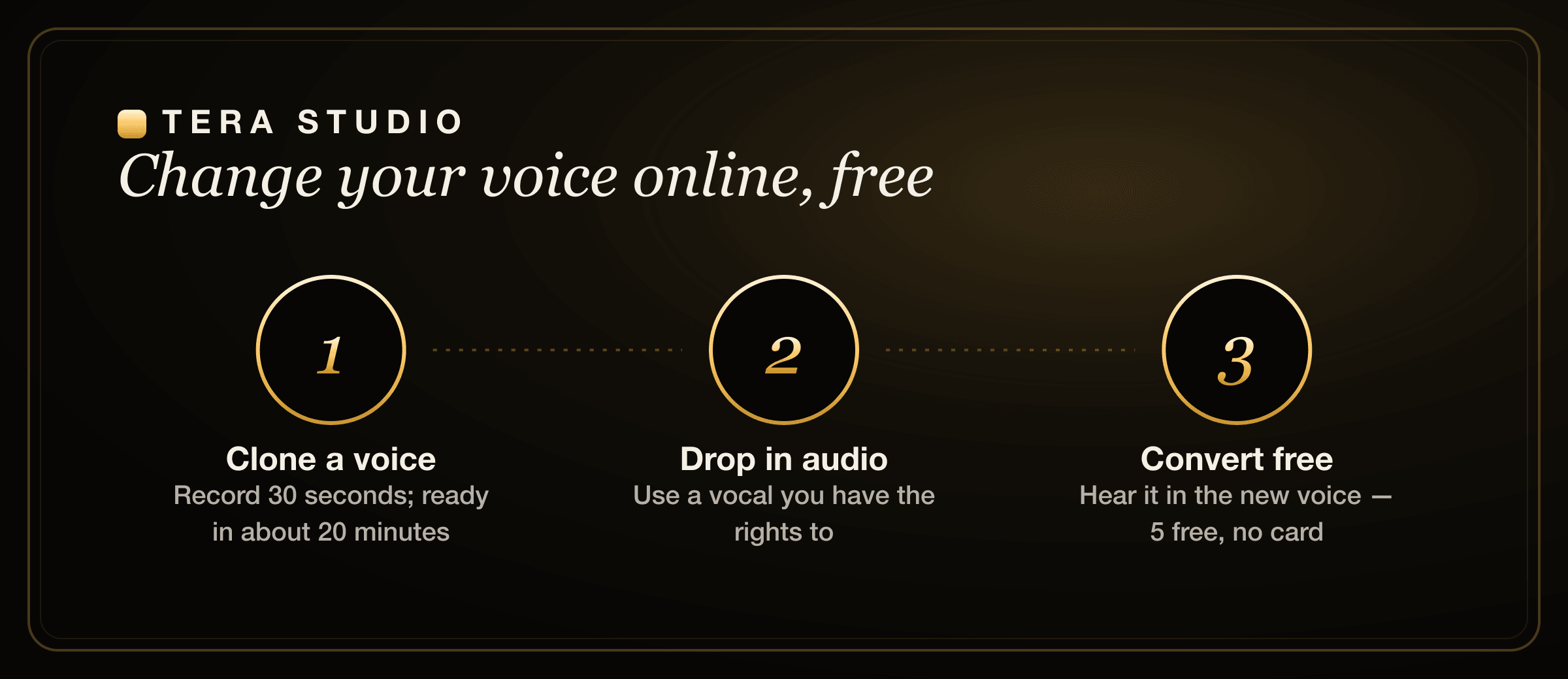
- Open terastudio.co and sign up free — no install, no card.
- Set up a target voice — clone your own from about 30 seconds of audio (training finishes in roughly 20 minutes), or use a voice you have permission to use.
- Record or upload the vocal you want to change.
- Convert — pick the target voice and let the model process the take.
- Keep the result — your first 2 listen-only full songs are free; download mix-ready 48 kHz WAVs on a paid plan from ₹499/month.
For a fuller walkthrough with mixing tips, see how to make an AI cover song, or the language-specific how to make a Hindi AI cover. If you just want to nail the clone step first, how to clone your voice free covers it end to end.
How do I get the cleanest voice-changed result?
Garbage in, garbage out applies to voice conversion more than almost anything else. A few habits make the difference between "uncanny" and "that's actually me."
Record your clone in a quiet room with a steady, natural singing tone — no whispering, no shouting, no background music bleeding in. Thirty focused seconds of clean audio beats five rushed minutes. When you convert a song, feed the model an isolated vocal (an a cappella or a clean dry take) rather than a full mix, so it is not fighting the instrumental. Match the key to your comfortable range; Tera's pitch tools can shift a song to suit your voice, but starting close to your natural register always sounds more human. Finally, listen on headphones — phone speakers hide the small artefacts you will want to catch before sharing.
Can it change my voice into someone else's?
It converts into a cloned target voice, and the rule is simple: use your own voice, or a voice you have explicit permission to use. Cloning a real person — a singer, a celebrity, anyone — without their consent is not something Tera supports, and it can carry real legal exposure in India under personality and publicity rights, on top of any copyright in the song itself. Your trained voice on Tera stays private to your account. For the full picture before you publish, read the law on AI voice cloning in India.
What can I make with a free AI voice changer?
More than novelty clips, if you treat it as a creative tool. Singers build a catalogue of covers in their own voice across languages they could never record in a studio. Faceless creators and YouTubers use it for consistent narration and song content without ever showing their face — practical tactics live in our voice cloning for YouTubers guide. And regional-language creators are using own-voice covers as a wedge that the big US apps barely touch: see the genre guides for Punjabi AI cover songs, Bengali AI cover songs, Marathi AI cover songs, and an AI voice generator for Tamil & Telugu.
How to start on Tera (free)
- Open terastudio.co in Chrome or Safari, on your phone or laptop.
- Sign up free — no card, no install.
- Clone your voice — sing about 30 seconds; the model trains in roughly 20 minutes.
- Convert a song you have the rights to into your cloned voice.
- Listen to your 2 listen-only full songs in-app, then upgrade from ₹499/month for 48 kHz WAV downloads and AI lipsync video.
Sign up free at terastudio.co.
Frequently asked questions
Is there a free AI voice changer online?
Yes. Tera Studio works in your browser, free to start with 1 clone + 2 listen-only full songs, no card required. It converts your recording into a cloned target voice for singing and covers rather than just adding an effect.
Does it work for singing, not just talking?
Yes — Tera is built for singing and covers, so it preserves your phrasing, vibrato and dynamics instead of stamping a pitch effect on top. That musical focus is the main reason to choose it over a generic voice changer.
Do I need to install anything?
No. It is an online web app, so you sign up and use it in your browser on a phone or laptop. You can add it to your home screen for an app-like icon, but there is no download.
Is it a real-time voice changer for gaming or Discord?
No. Tera is a recording-and-conversion tool for music and content, not a live mic filter. If you want low-latency effects for game chat, a real-time tool like Voicemod is the right pick; Tera is for finished, high-quality covers.
Can it change my voice into someone else's?
It converts into a cloned target voice. Use your own voice or one you have permission to use — do not impersonate real people without consent, which can breach personality rights in India. Your trained voice stays private to your account.
Which languages does it support?
Twelve, all tuned for Indian voices: Hindi, Hinglish, Punjabi, Tamil, Telugu, Bengali, Marathi, Gujarati, Kannada, Malayalam, Urdu and English. Pronunciation and ornaments are handled per language rather than forced through an English-first model.
Is it really free, or is there a catch?
Starting is genuinely free: 1 clone + 2 listen-only full songs with no watermark and no card. You only pay to download mix-ready 48 kHz WAV files or to make AI lipsync videos, with paid plans starting at ₹499/month.