
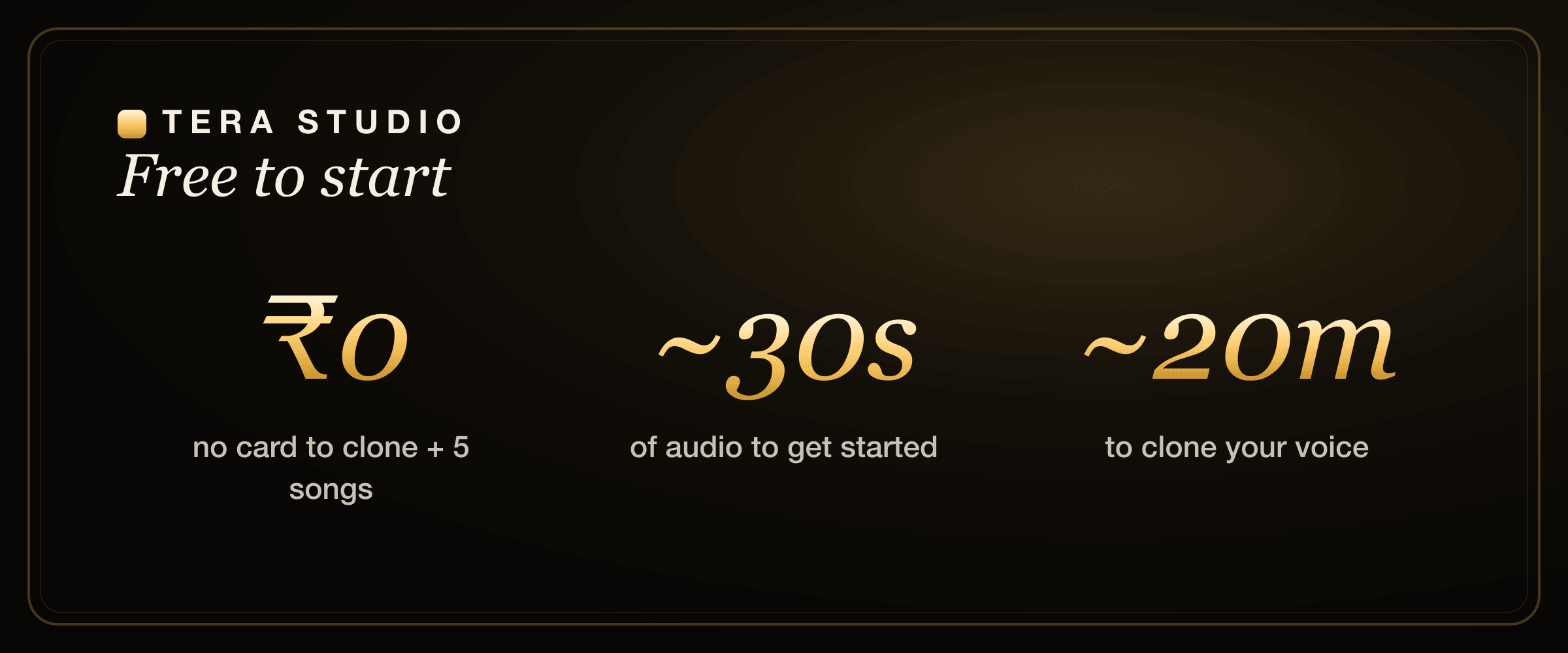
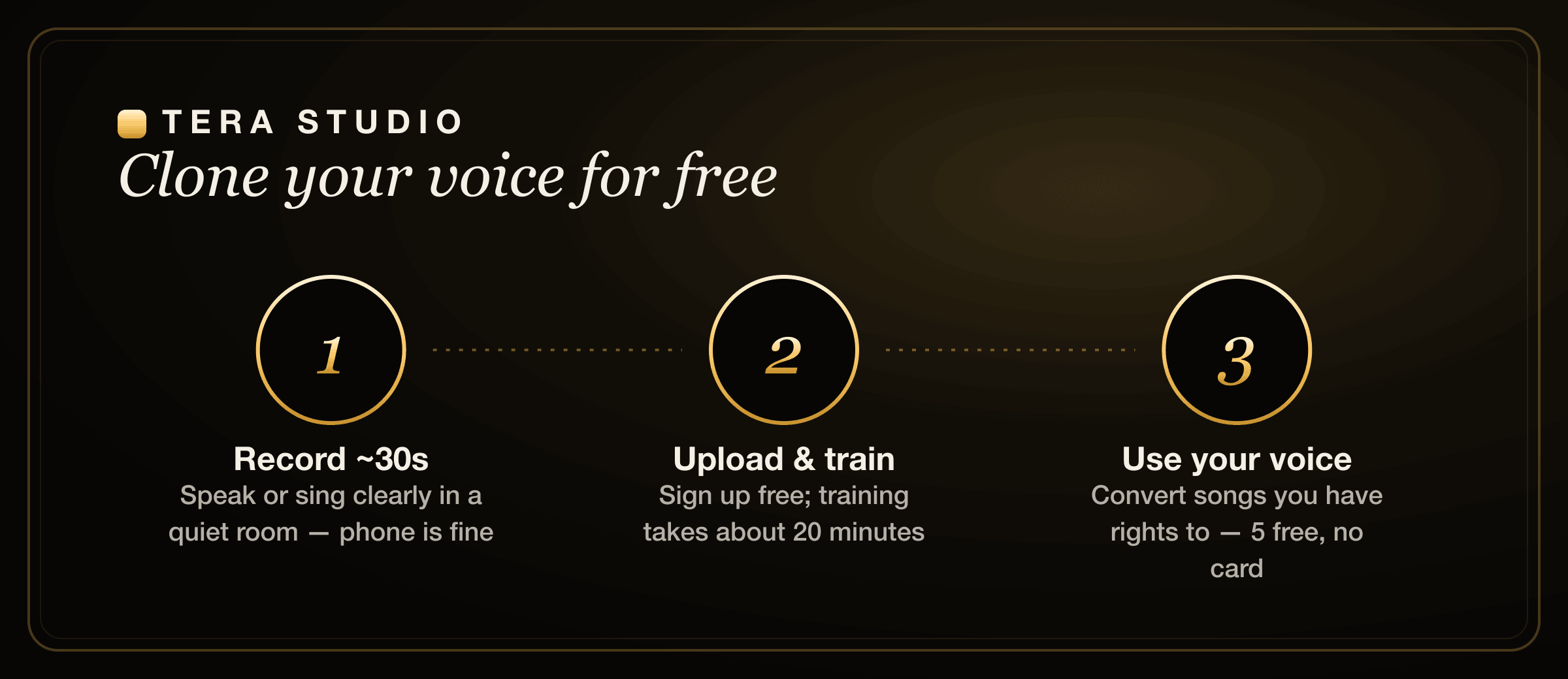
Tera Studio is the free way to clone your own voice with AI in about 20 minutes — record around 30 seconds of clean audio, let it train, then sing any song back in your own voice across 12 languages. No credit card, your first voice clone and 2 listen-only full songs are free, and your trained voice stays private to your account.
Below is the exact process, plus how to get a good clone. Most "bad AI voice" results trace back to a bad recording, not a bad model — so the recording tips matter as much as the steps.
Key takeaways
- You can clone your own voice free, with no credit card — 1 clone + 2 listen-only full songs on the free tier.
- It takes roughly 30 seconds of clean audio to start and about 20 minutes to train.
- Tera does real voice-to-voice performance conversion (you sing it back), not robotic text-to-speech.
- Your trained voice is private to your account; cloning anyone else needs their permission.
- Recording quality decides everything — a quiet room and a consistent take beat a long, noisy one every time.
What "cloning your voice" actually means
Voice cloning trains an AI model on samples of your voice so it can reproduce your timbre — the specific texture, weight and color that make you sound like you. Once that model exists, there are two very different things you might do with it.
The first is speaking: you type text and the model reads it out in your voice. That's text-to-speech, and it's what most "voice clone" tools are built around. The second is singing: you take a real sung performance and convert it into your voice, keeping the melody, timing and phrasing while swapping the timbre. That's performance conversion, and it's a harder, more musical problem.
Tera Studio is built for the second one. You clone yourself once, then sing covers in your own voice — same clone, any song. If you want the broader walkthrough of turning a clone into finished tracks, see how to make an AI cover song. If you mainly want to transform a vocal on the fly, the free online AI voice changer guide covers that angle.
How do I clone my own voice for free?
The honest answer: you need a tool whose free tier actually lets you finish something, not one that clones a voice and then walls off every output behind a paywall. On Tera Studio the free tier includes 1 clone + 2 listen-only full songs for ₹0 with no card — you only pay when you want 48 kHz mix-ready WAV downloads or AI lipsync video. That means you can clone yourself, hear real full-song covers, and decide whether it's worth paying after you've heard the results.
The steps below take you from a phone recording to a finished cover in your own voice.
Step 1 — Pick a quiet spot and a decent mic
The single biggest lever on clone quality is the room, not the gear. Find a small, soft space — a bedroom with a bed, curtains and a wardrobe absorbs sound far better than a kitchen or a tiled bathroom, which throws harsh echo straight back into the mic. Kill anything that hums: fans, air conditioning, a laptop sitting next to you, traffic through an open window.
Your phone is genuinely fine. Modern phone mics are clean, and the model cares more about a quiet, close, consistent signal than about an expensive interface. Hold the phone a steady hand-span from your mouth — close enough to sound present, far enough that plosives ("p" and "b" sounds) don't pop.
Step 2 — Record around 30 seconds
Thirty seconds of clean audio is enough to start. Speak or sing naturally and clearly, the way you actually sound — don't put on a "radio voice," because the clone will faithfully reproduce whatever you give it, including the performance. Keep one distance from the mic and one energy level throughout; don't whisper one line and belt the next.
If you plan to sing covers, include a little singing in the sample, not just speech. The clone captures sung tone better when it has heard you sing, so a mix of a spoken sentence and a few sung phrases gives it more to work with. On Tera you can upload up to roughly 2 hours for a richer clone, but that's optional — 30 good seconds beats five rough minutes, and a long noisy file is worse than a short clean one.
Step 3 — Upload and train (about 20 minutes)
Sign up free at terastudio.co, create a new voice, and upload your sample. Training runs in the background and takes about 20 minutes — you can close the tab and come back. Behind the scenes the model is learning the fingerprint of your voice so it can apply it to any performance later.
You only do this once per voice. After it's trained, that clone is reusable across every song you make, so the 20 minutes is a one-time cost, not a per-track wait.
Step 4 — Sing a song back in your voice
Once the clone is ready, bring in a vocal you have the rights to — your own sung take of a song is the cleanest and safest source. An isolated vocal (an acapella) converts more crisply than a full mix, but Tera handles real-world takes well, so you can record yourself singing along to a track and convert that. Tera then performs the conversion, keeping your phrasing and timing while replacing the timbre with your trained voice. Your first 2 songs are free, no card.
This is the part that feels like magic: it's still your performance — your breaths, your slides, your timing — wearing your cloned voice. If you're targeting a specific style, the language guides like how to make a Hindi AI cover, Punjabi AI cover songs and Bengali AI cover songs walk through phrasing nuances for each.
Step 5 — Choose the best take (and export when ready)
Listen back, and if a take isn't right, re-record the source vocal rather than fighting the settings — better input is almost always the fix. When you land one you love, the free tier lets you preview it in-app. On a paid plan (from ₹499/month) you can download a mix-ready 48 kHz WAV to drop straight into a mix or DAW, and you can turn the cover into an AI lipsync video to post.
That's the only real difference the paid tiers buy you here: delivery-grade files and video. The cloning, the conversion and the 12-language coverage are all available before you spend anything.
Common mistakes to avoid
The fastest way to a clone that sounds like you is to dodge a handful of recording mistakes that quietly wreck the input.
- Recording in a noisy or echoey room. Even faint hum or room reverb bakes into the clone. A dry, close recording in a soft room clones far better than a roomy one.
- Inconsistent distance and energy. Drifting closer and further from the mic, or whispering one line and shouting the next, confuses the model. Lock in one position and one level.
- Uploading a long, messy file thinking more is better. Quality beats quantity. Thirty clean seconds outperforms several rough minutes, and a noisy two-hour upload is worse, not better.
- Speech-only samples when you plan to sing. If the clone never heard you sing, the sung tone can feel thin. Include a few sung phrases.
- Trying to fix a bad source vocal with settings. If a cover sounds off, re-record the input vocal rather than endlessly tweaking. Garbage in, garbage out applies hard to voice cloning.
Is it safe to clone my own voice for free?
Cloning your own voice is the safest case there is — it's your voice and you've consented to it. The main things to keep straight are about other people and about songs.
Don't clone anyone else's voice without their permission. In India, courts protect people's voices under personality rights, and 2026 rules govern synthetic media — so a clone of someone else, without consent, is a real legal risk, not a grey area. We cover the specifics in the law on AI voice cloning in India. Separately, songs carry their own copyright: using your voice is fine, but how you publish a cover of someone else's song can still require music permissions depending on where and how you post it.
On Tera, your trained voice is private to your account — nobody else can select it, use it, or hear it — and cloning any voice requires the owner's permission by design. That consent-first stance is deliberate, and it's why creators and YouTubers can use it without worrying their voice will end up in someone else's library; more on that in voice cloning for YouTubers.
Why clone in your own voice instead of using a generic AI voice?
A generic AI voice is interchangeable — thousands of people use the same one, so it can't carry an identity. Cloning yourself flips that. Every cover you make sounds unmistakably like you, which is the whole point if you're building a channel, an artist profile, or a body of work people recognize.
It also unlocks something most tools can't: own-voice covers in named Indian languages. Tera is tuned for Indian voices across Hindi, Hinglish, Punjabi, Tamil, Telugu, Bengali, Marathi, Gujarati, Kannada, Malayalam, Urdu and English — so you can sing a Tamil or Telugu cover in your own voice even if you'd never nail the take live. The AI voice generator for Tamil & Telugu and best AI singing app in India guides go deeper on language coverage. If you're weighing tools, the ElevenLabs alternative for singing and Kits.ai alternative comparisons lay out where each one fits — ElevenLabs is genuinely strong at expressive text-to-speech, while Tera is built specifically for singing covers in your own cloned voice.
How to start on Tera (free)
- Go to terastudio.co and sign up free — no credit card.
- Record about 30 seconds of clean audio in a quiet room (phone is fine), including a few sung phrases if you'll be singing.
- Create a voice, upload your sample, and let it train (~20 minutes).
- Pick a song you have the rights to, and convert your sung take into your cloned voice — your first 2 listen-only full songs are free.
- Choose the best take; upgrade only if you want a 48 kHz WAV or a lipsync video.
- Ready? Clone your voice free at /signup/.
Frequently asked questions
Can I really clone my voice for free?
Yes. Tera Studio lets you train 1 clone + 2 listen-only full songs free, with no credit card. You only pay if you want to download mix-ready 48 kHz WAV files or make AI lipsync videos. The cloning and in-app listening are free to do.
How long does voice cloning take?
About 20 minutes to train on Tera, from roughly 30 seconds of audio. Training runs in the background, so you can close the tab and come back — and you only train each voice once, after which the clone is reusable across every song.
How much audio do I need to clone my voice?
As little as 30 seconds of clean audio gives a usable clone. You can upload up to around 2 hours for a richer result, but it isn't required, and more audio only helps if it's clean — a noisy long file is worse than a short clean one.
Will the AI voice actually sound like me?
The cleaner and more consistent your recording, the closer the match. Most poor results come from noisy, echoey or uneven samples rather than the model. Record in a quiet, soft room at one steady distance and energy, and include a little singing if you plan to sing.
Can I sing in Hindi, Tamil or Punjabi in my own cloned voice?
Yes. Tera is tuned for Indian voices across 12 languages — Hindi, Hinglish, Punjabi, Tamil, Telugu, Bengali, Marathi, Gujarati, Kannada, Malayalam, Urdu and English — so you can sing covers in your own voice in any of them, even ones you couldn't perform live.
Is it legal to clone my own voice?
Cloning your own voice is the safest case — it's your voice and your consent, and on Tera your clone stays private to your account. Just don't clone other people without permission, and remember that publishing a cover of someone else's song can still involve that song's copyright. See the law on AI voice cloning in India for the details.
Is this text-to-speech or real singing?
It's real performance conversion, not text-to-speech. You sing (or supply) an actual vocal take, and Tera converts that performance into your cloned voice — keeping your phrasing, timing and breaths. That's what makes a true cover rather than a robotic read.