
Tera Studio is an AI voice studio for creators who want one consistent, personal-sounding voice across every video without re-recording each line live. It clones your own voice from about 30 seconds of audio, sings and converts performances in 12 Indian languages, starts free, and keeps your trained voice private to your account.
YouTube creators reach for voice cloning to solve real, recurring problems: a voice that drifts between recording sessions, the cost and time of re-recording flubbed lines, the wall of releasing in a single language, and the awkwardness of a faceless channel narrated by generic stock text-to-speech. Below is exactly how creators put cloning to work, what to look for in a tool, and where the consent line sits in India.
Key takeaways
- Voice cloning gives creators a consistent channel voice, music and cover content, faceless narration, multi-language reach, and line-level fixes — all delivered in their own cloned voice instead of generic stock TTS.
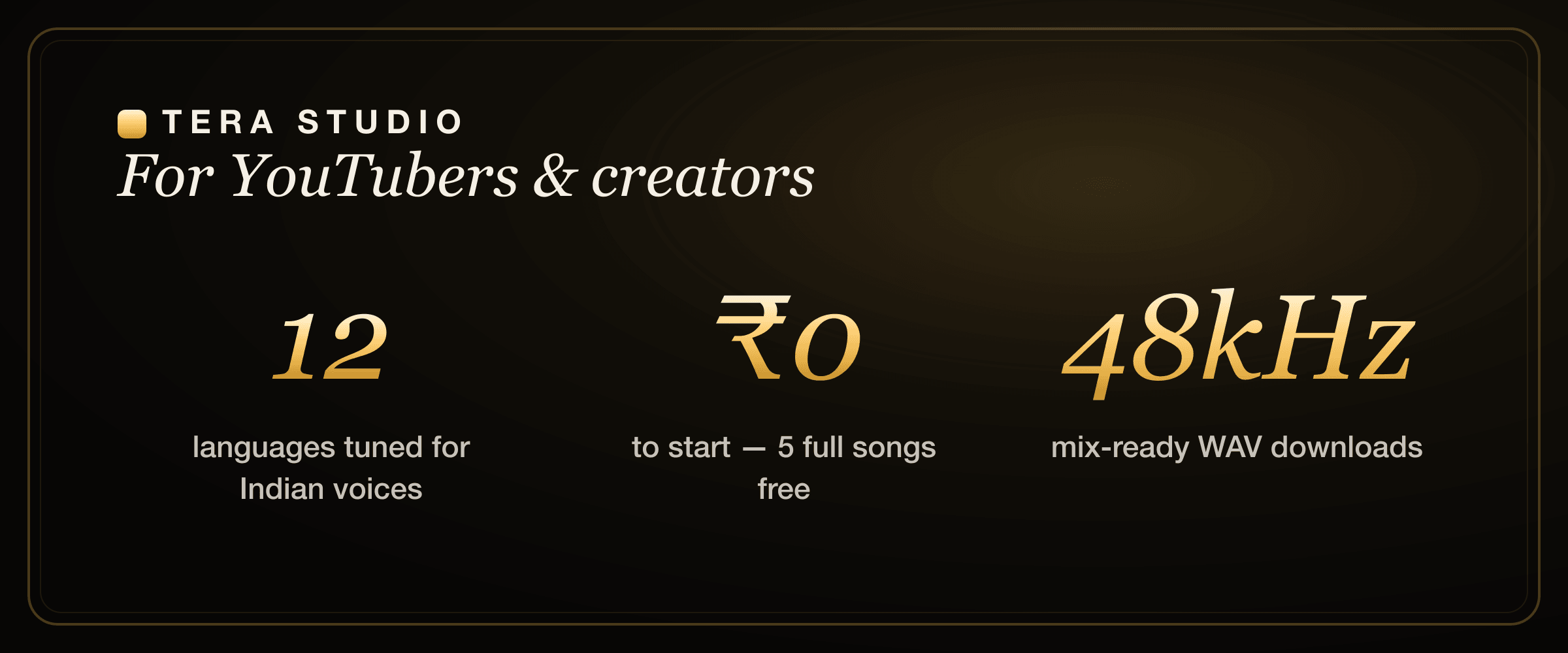
- Tera Studio clones your voice from about 30 seconds of audio and works across 12 languages tuned for Indian voices — Hindi, Hinglish, Punjabi, Tamil, Telugu, Bengali, Marathi, Gujarati, Kannada, Malayalam, Urdu, and English.
- Tera is voice-to-voice performance conversion, not text-to-speech — you sing or speak a take and hear it back in your trained voice, which is why it handles real covers and musical phrasing that TTS narrators cannot.
- It is free to start (1 clone + 2 listen-only full songs, no card), with paid plans from ₹499/month that unlock 48 kHz mix-ready WAV downloads and AI lipsync video.
- Consent is built in: your trained voice is private to your account, and cloning anyone else's voice requires their permission.
What is AI voice cloning for YouTubers, exactly?
AI voice cloning builds a digital model of a specific voice — ideally your own — from a short sample, then lets you generate new audio that sounds like that voice. There are two very different flavours, and the difference matters for creators.
The common kind is text-to-speech (TTS) cloning: you type a script, and a synthetic narrator reads it back in a cloned timbre. It is great for voiceover and narration, and weak at anything musical or expressive, because the machine is inventing the performance from text.
The kind Tera Studio uses is voice-to-voice performance conversion: you record an actual take — singing or speaking — and the model re-voices your performance in your trained voice. Your timing, breath, dynamics, and emotion survive the conversion. That is why Tera handles full covers and musical phrasing that a TTS narrator simply cannot, and it is the same engine behind learning how to make an AI cover song in your own voice. For a channel that does music, reaction-with-singing, or expressive storytelling, conversion is the feature that actually matters.
5 ways YouTubers and creators use voice cloning
1. A consistent channel voice. Clone yourself once and every video sounds the same — even when you re-record, patch a line, or batch content on a day your throat is shot. No more "why does my voice sound different this week?" Audiences bond with a stable voice, and consistency is half of why a channel feels professional.
2. Music, covers, and singing content. If your channel does covers, song reactions, or original music, you can sing a take and hear it back in your own voice across languages — a natural fit for singing creators and the wedge most general TTS tools miss entirely. This is also the path Indian creators use to build a catalogue of Hindi AI covers without a studio booking.
3. Faceless channels. Run a screen-recording, animation, or compilation channel with a real, personal-sounding voice instead of a robotic stock narrator. A faceless format does not have to mean a faceless sound.
4. Reach more language audiences. Indian creators can release the same concept for Hindi, Tamil, Telugu, Punjabi, Bengali, and more, with the voice staying recognisably theirs. A cover idea can ship as a Punjabi AI cover and a Bengali AI cover from the same workflow.
5. Fix lines without re-recording the whole take. Caught a wrong stat or a fumbled word in the edit? Regenerate just that segment in your cloned voice instead of resetting your mic, matching your tone, and re-recording the section.
What should a YouTuber look for in a voice cloning tool?
Not every cloning tool fits creator work. Five things separate a toy from a tool you can build a channel on:
Performance conversion, not just TTS. If you want covers, music, or expressive delivery, you need voice-to-voice conversion. A text-only narrator caps you at flat voiceover. Tools that handle real singing — like the ones compared in this ElevenLabs alternative for singing breakdown — are a different category from speech-only generators.
Language coverage that actually fits your audience. Plenty of tools nominally "support" many languages but were trained mostly on US English voices, so Indian pronunciation and phrasing come out stiff. Coverage tuned for Indian voices is the difference between a release you can publish and a draft you scrap.
Honest, predictable pricing. Per-minute credit metering punishes you for iterating, and USD billing adds currency friction for Indian creators. Flat INR plans with a real free tier let you experiment without watching a meter.
Mix-ready output quality. For anything beyond a quick draft, you want clean, high-sample-rate files you can drop into your editor. Tera's paid plans deliver 48 kHz mix-ready WAV downloads built for that.
Consent and privacy you can stand behind. Your trained voice should be private to your account, and the platform should require permission to clone anyone else. That protects both you and your channel.
Tera Studio vs generic TTS narrators for YouTube
Most "AI voice for YouTube" tools are text-to-speech narrators. Here is how that approach compares to Tera Studio's own-voice conversion for actual creator work.
| What you need | Generic TTS narrator | Tera Studio |
|---|---|---|
| Sounds like you | A stock or cloned-from-text voice | Your own voice, cloned from ~30s |
| Singing and covers | Not really — speech only | Built for singing and covers |
| Performance and emotion | Invented from text, often flat | Your real take is converted |
| Indian languages | Often US-English-first | 12 languages tuned for Indian voices |
| Pricing model | Usually USD, often per-credit | INR, free to start, from ₹499/mo |
| Mix-ready downloads | Varies | 48 kHz WAV on paid plans |
| Lipsync video | Rare | AI lipsync on paid plans |
| Voice privacy | Varies by vendor | Private to your account, consent-first |
If you are weighing specific named tools, our deeper comparisons cover Tera vs ElevenLabs for speech-leaning workflows and the best AI singing app in India for music-leaning channels.
Where generic TTS tools are genuinely strong
Credit where it is due. Pure text-to-speech narrators are excellent at high-volume, text-driven voiceover: documentation read-throughs, explainer channels, audiobook-style content, and quick drafts where you just need a clean read from a script. They are fast — paste text, pick a voice, export — and the best of them offer a wide library of off-the-shelf voices and accents. If your channel is script-first and never sings, a strong TTS tool can carry a lot of your workload, and you should keep using one that works for you.
Where Tera Studio wins for creators
Tera's advantage shows up the moment your content stops being a flat script read. Because it converts your actual performance rather than reading text, it carries singing, musical phrasing, and emotional delivery that TTS cannot fake. It clones your voice rather than handing you a stock one, so your channel keeps a single recognisable identity. And it is built India-first: 12 languages tuned for Indian voices, INR pricing with a genuine free tier, and 48 kHz mix-ready output on paid plans. For singing creators specifically, Tera is in a category most narrator tools never enter — it is closer to a Suno alternative for own-voice music than to a voiceover app.
On Tera Studio, you can clone your voice from roughly 30 seconds of audio, sing covers in 12 named Indian languages, and hear 2 listen-only full songs in-app for ₹0 with no card — with paid plans starting at just ₹499/month for 48 kHz WAV and lipsync video.
Consent and disclosure — protect your channel
This is part of being a professional creator, not red tape. Clone your own voice, or get written permission before cloning anyone else's. Disclose AI where it is not obvious to viewers — it is increasingly expected and, for synthetic media in India, increasingly required. And remember that voice rights and music rights are separate: cloning your voice does not clear the copyright on a song you cover.
On Tera Studio, your trained voice is private to your account, and cloning any voice requires the owner's permission. For the fuller legal picture — likeness rights, disclosure norms, and what is settled versus still moving — read the law on AI voice cloning in India before you build a channel format around cloned audio.
Does AI voice cloning hurt my channel's authenticity?
It depends entirely on how you use it. Used to fake someone else's voice or to hide that audio is synthetic, it absolutely can erode trust. Used to make your own voice more consistent, to reach audiences in their language, and to make music you could not otherwise produce — with honest disclosure where it matters — it is just another production tool, like a noise gate or an autotune plugin. Viewers reward consistency and reward you meeting them in their own language; both are things own-voice cloning makes practical. The line is consent and honesty, not the technology itself.
How to start on Tera (free)
- Sign up free at terastudio.co — no card required.
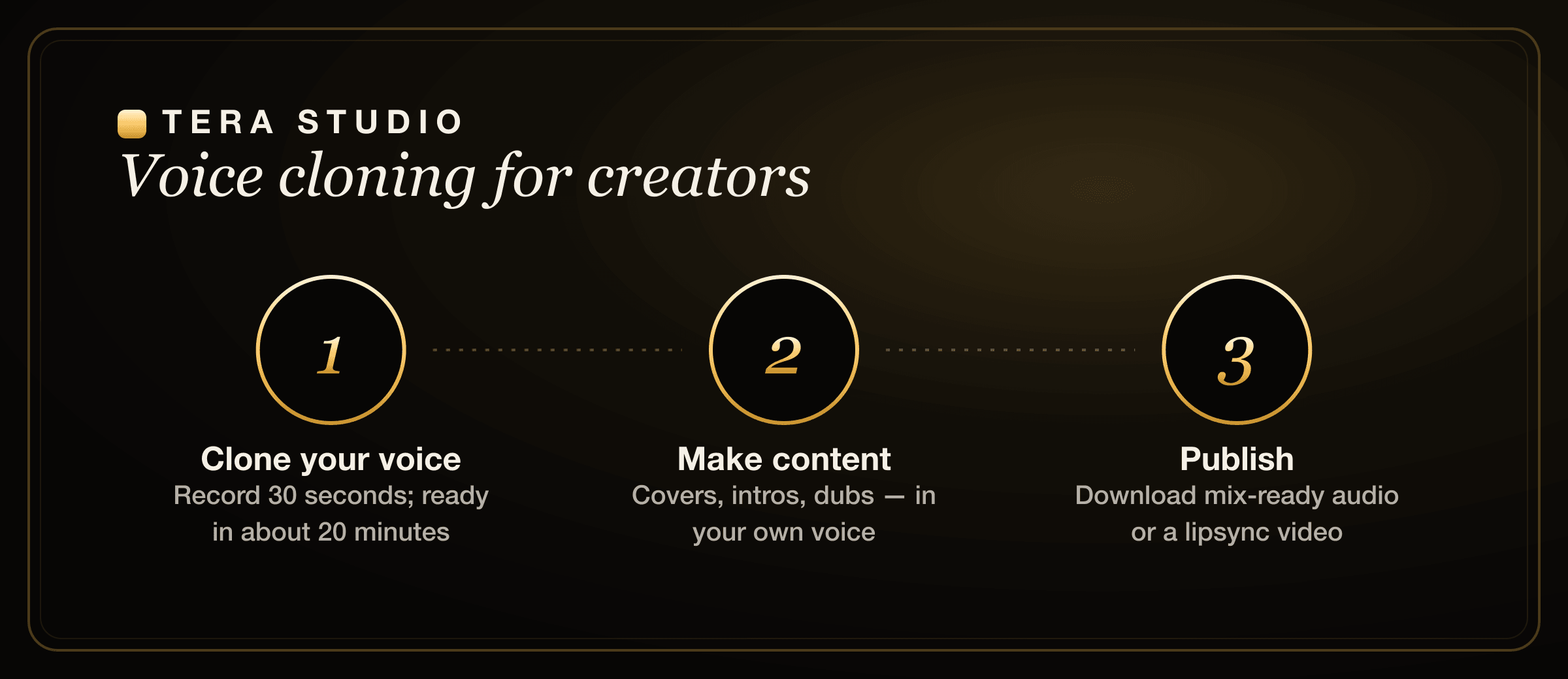
- Record about 30 seconds of clean audio and clone your voice; training takes roughly 20 minutes.
- Use your voice for covers, narration takes, song reactions, or dubbed versions across 12 languages.
- Listen to 2 listen-only full songs in-app on the free tier; upgrade from ₹499/month when you want 48 kHz mix-ready WAV downloads and AI lipsync video.
- Publish — and disclose AI where it is not obvious to your audience.
Want the exact recording walkthrough first? See how to clone your voice free, then come back and start at /signup/.
Frequently asked questions
How do YouTubers use AI voice cloning?
For a consistent channel voice across every upload, covers and music content, faceless narration that still sounds personal, releasing in more languages, and fixing flubbed lines without re-recording the whole take — all in their own cloned voice rather than a generic stock narrator.
Is it safe to clone my own voice for my channel?
Yes — it is your voice and your consent. On Tera Studio your trained voice is private to your account, so it is not shared or made available to other users. The only hard rule is the obvious one: do not clone other people's voices without their permission.
Is voice cloning free for creators?
Tera Studio is free to start — 1 clone + 2 listen-only full songs, with no card required. Paid plans run from ₹499 to ₹2,999 per month and mainly unlock 48 kHz mix-ready WAV downloads and AI lipsync video, which is what most creators upgrade for once they are publishing regularly.
Can I dub or release my videos in Indian languages?
You can produce content in your own voice across 12 languages on Tera, including Hindi, Hinglish, Punjabi, Tamil, Telugu, Bengali, Marathi, Gujarati, Kannada, Malayalam, Urdu, and English. For music specifically, that is the same workflow behind an AI cover song generator in your chosen language.
Is this text-to-speech or real singing?
It is voice-to-voice performance conversion, not text-to-speech. You record an actual take and hear it back in your trained voice, so your timing, breath, and emotion carry through. That is why Tera handles full covers and musical phrasing that script-reading TTS narrators cannot.
How long does it take to clone my voice and get a result?
Cloning needs only about 30 seconds of clean audio, and training your voice takes roughly 20 minutes. After that, generating a take is fast, so you can iterate on covers or narration without a long wait between versions.
Do I have to disclose that the voice is AI?
Where it is not obvious to viewers, yes — disclosure is increasingly expected by audiences and, for synthetic media in India, increasingly required. When you are cloning your own consented voice and being upfront about it, disclosure protects your channel rather than hurting it.